


Repeat player WorkAudioBook Pa
Play on PC with BlueStacks – the Android Gaming Platform, trusted by 500M+ gamers.

Page Modified on: Mar 21, 2019
Run Repeat player WorkAudioBook Paid on PC or Mac
What’s better than using Repeat player WorkAudioBook Paid by Povalyaev Sergey? Well, try it on a big screen, on your PC or Mac, with BlueStacks to see the difference.
About the App
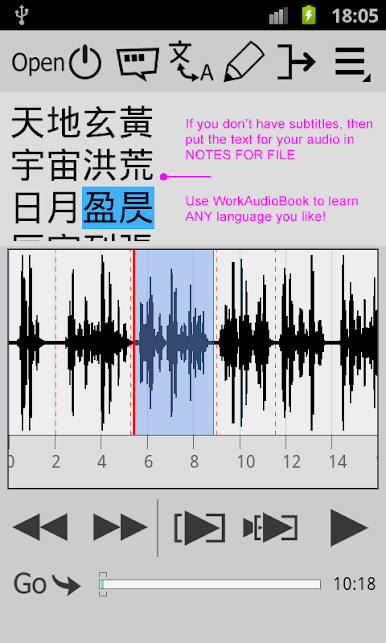
If you’re serious about learning a new language—or just want a better way to listen and study audiobooks and podcasts—Repeat player WorkAudioBook Paid might be just what you’re looking for. Created by Povalyaev Sergey and tucked into the Education genre, this app is all about making it easier to absorb, review, and really dig into audio content in any language. Whether you’re training your ear in English, French, Spanish, or something a bit less common, you’ll find tools here designed for listeners who want to do more than just play audio straight through.
App Features
-
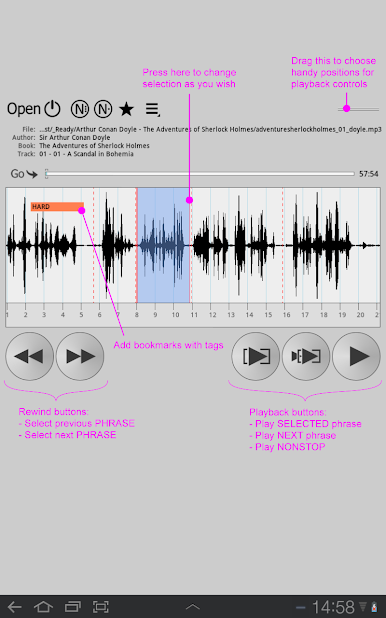
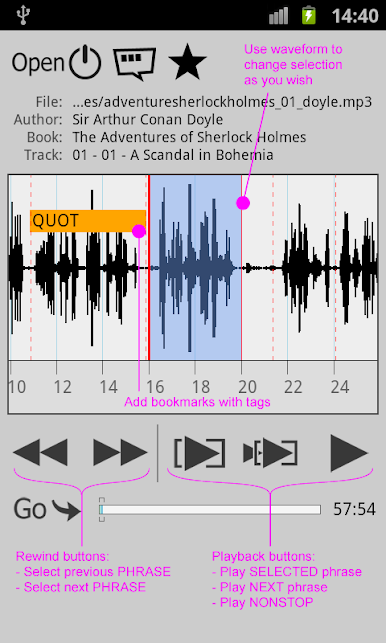
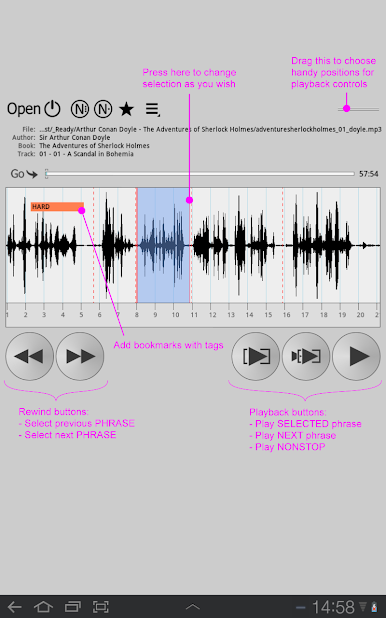
Phrase-by-Phrase Playback
The app does the heavy lifting and splits audio into manageable phrases, so you can listen, repeat, and master every line without getting lost in long tracks. -
Adjustable Speed
Need things a bit slower to really catch every word? Or maybe you’re flying through easier sections? Change playback speed on the fly (works on Android 6.0 and later). -
Auto-Pause & Repeat
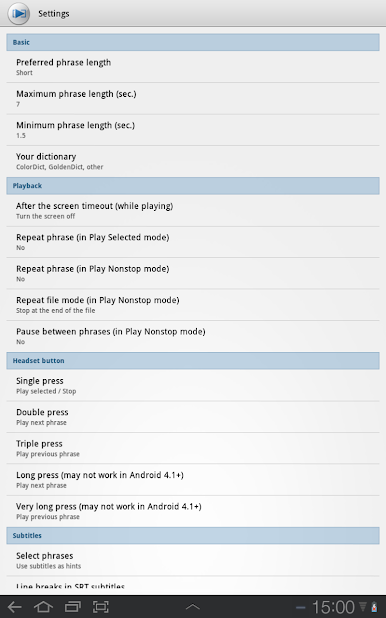
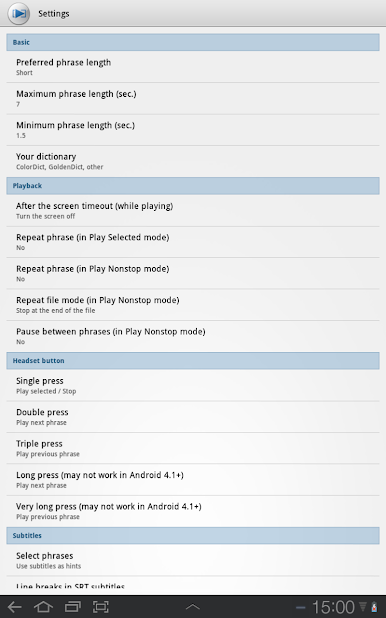
Pause automatically between phrases or set up repeats (by phrase, file, or even entire folders) to really zero in on tricky parts. -
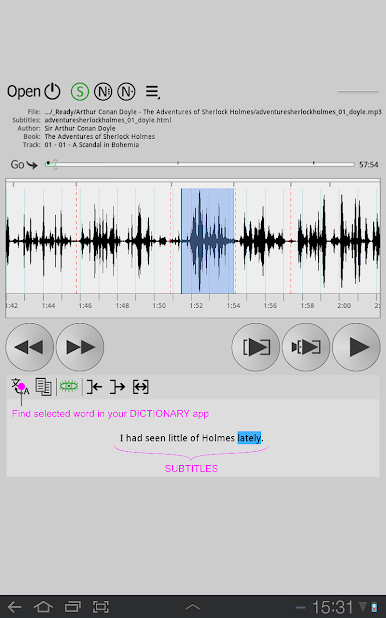
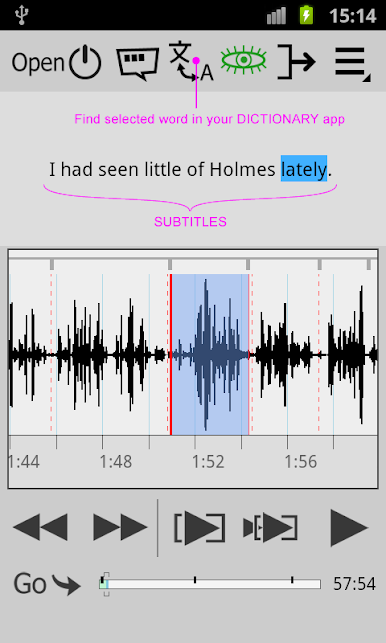
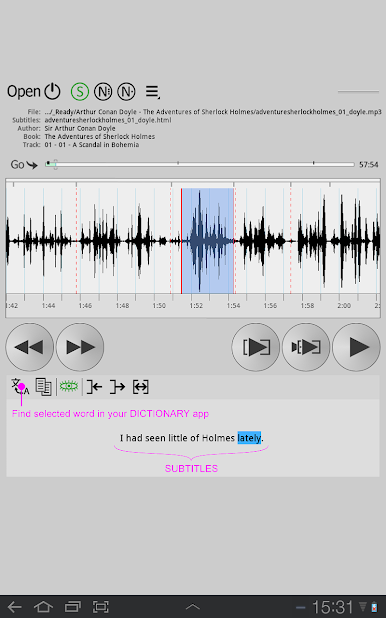
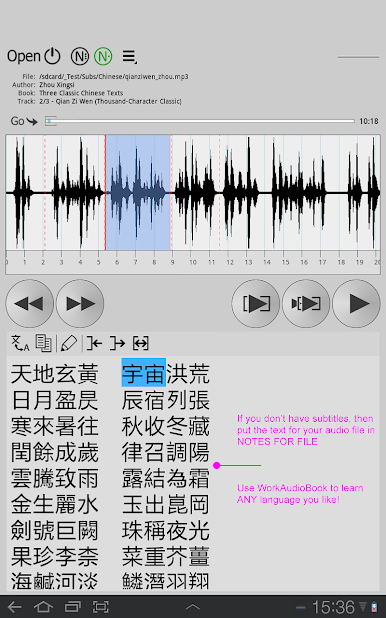
Subtitle Support
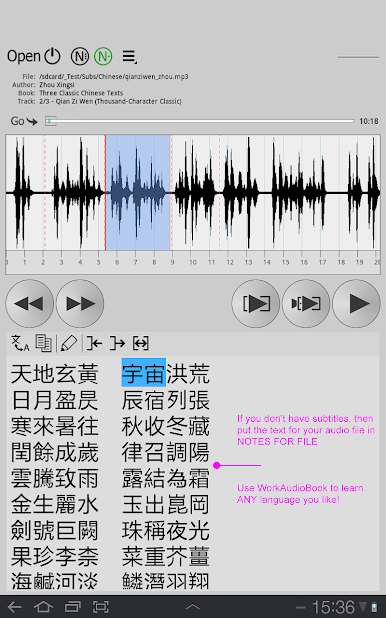
Pop up subtitles—or even secondary subtitles—alongside your audio. You can also link up with dictionary apps for instant look-ups. -
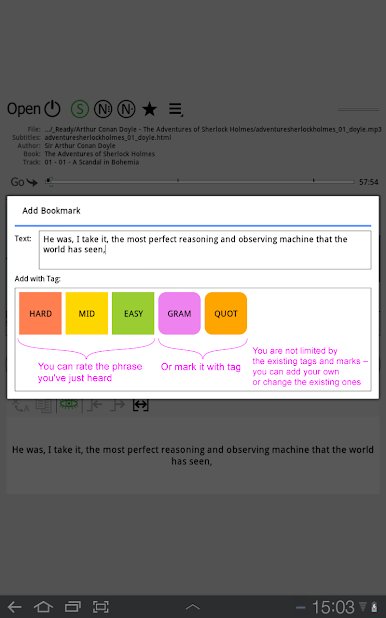
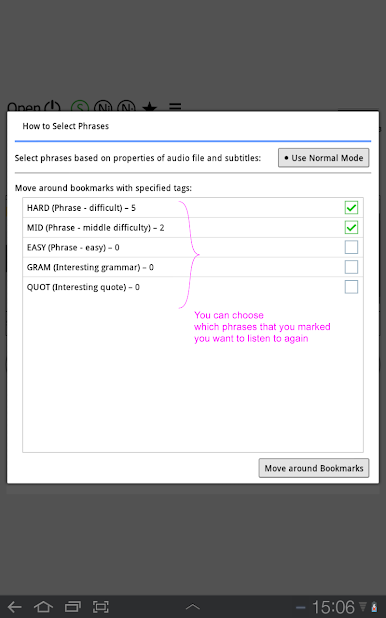
Custom Notes & Bookmarks
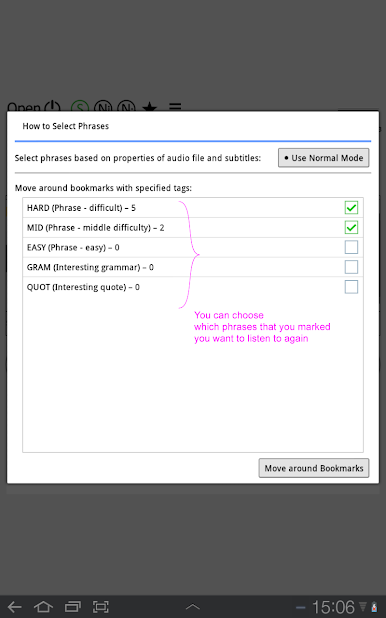
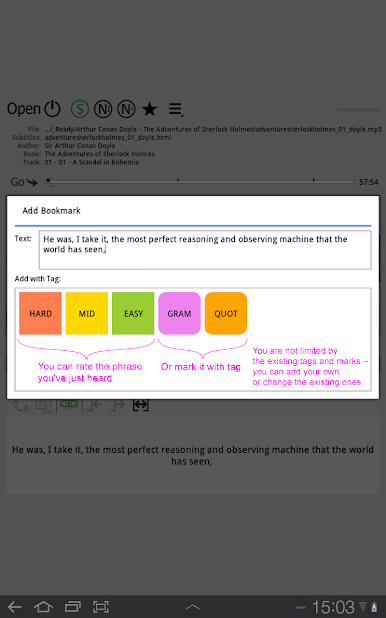
Add notes to specific files or folders (think: character lists, new vocab, book references), plus set bookmarks with tags to quickly jump back. -
Waveform Navigation
See your audio as a waveform and tap any part—down to an individual word—to replay exactly what you want. Handy for tricky pronunciations. -
Playlist & Headset Compatibility
Organize your learning audio however you like with playlists, and use your headset buttons for extra convenience on the go. -
Playback Memory
The app remembers where you last stopped and keeps recent files handy, making it easy to pick up wherever you left off. -
No Ads or Distractions
Focus stays on your language learning—no unexpected interruptions. -
Device-Friendly
Optimized for both phones and tablets, and runs well on BlueStacks if you prefer using your PC.
Whether you’ve grabbed English audiobooks from LibriVox or loaded up your own audio files in another language, Repeat player WorkAudioBook Paid makes repetitive listening and language training way less of a chore.
Eager to take your app experience to the next level? Start right away by downloading BlueStacks on your PC or Mac.



Play Repeat player WorkAudioBook Pa on PC. It’s easy to get started.
-
Download and install BlueStacks on your PC
-
Complete Google sign-in to access the Play Store, or do it later
-
Look for Repeat player WorkAudioBook Pa in the search bar at the top right corner
-
Click to install Repeat player WorkAudioBook Pa from the search results
-
Complete Google sign-in (if you skipped step 2) to install Repeat player WorkAudioBook Pa
-
Click the Repeat player WorkAudioBook Pa icon on the home screen to start playing

