


Prison Runner: Obby Game 3d
Play on PC with BlueStacks – the Android Gaming Platform, trusted by 500M+ gamers.

Page Modified on: Aug 7, 2026
Play Prison Runner: Obby Game 3d on PC or Mac
Step into the World of Prison Runner: Obby Game 3d, a thrilling Adventure game from the house of Game Finale. Play this Android game on BlueStacks App Player and experience immersive gaming on PC or Mac.
About the Game
Prison Runner: Obby Game 3d is a fast, cheeky Adventure about breaking out of a blocky lockup one obstacle at a time. You’ll sprint, hop, and slide through trap-filled corridors while sniffing out clever shortcuts and shaving seconds off your best runs. Prefer using a keyboard? It pairs nicely with BlueStacks without making a big fuss about it.
Game Features
- Snappy movement: Double-jump across sketchy gaps, slide under close calls, and fire off a quick dash when timing gets tight.
- Wild obstacle layouts: Thread your way past shifting blocks, laser grids, bone-crunching crushers, swinging hammers, and floors that vanish under your feet.
- Race the clock: Time-trial runs reward clean lines and steady nerves, with layouts that get faster and trickier as you improve.
- Fair checkpoints: Miss a jump, chuckle at the splashy reaction, and pop right back to a nearby marker for another shot.
- Hidden routes and puzzles: Peek around corners for secret rooms, side passages, and little brainteasers that open faster exits.
- Collect and customize: Grab coins during runs to unlock playful skins and outfits for your blocky escape artist.
- Big escape set pieces: Special boss-style stages remix traps into fresh patterns that keep you guessing from the first step to the exit.
- Lighthearted chaos: Goofy pratfalls and cartoon vibes keep the mood fun, even when you biff it at the last second.
Start playing Prison Runner: Obby Game 3d on BlueStacks and get a smoother, more comfortable PC or Mac setup.
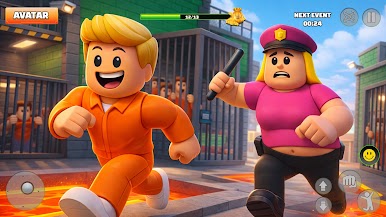

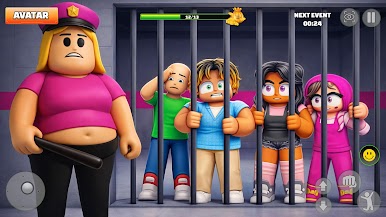
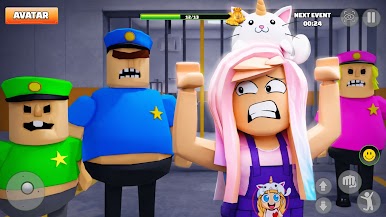
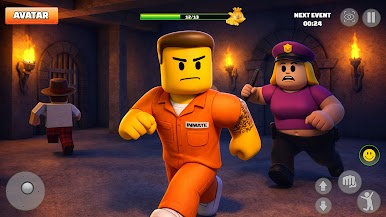

Play Prison Runner: Obby Game 3d on PC. It’s easy to get started.
-
Download and install BlueStacks on your PC
-
Complete Google sign-in to access the Play Store, or do it later
-
Look for Prison Runner: Obby Game 3d in the search bar at the top right corner
-
Click to install Prison Runner: Obby Game 3d from the search results
-
Complete Google sign-in (if you skipped step 2) to install Prison Runner: Obby Game 3d
-
Click the Prison Runner: Obby Game 3d icon on the home screen to start playing

