


Prison Runner: Obby Game 3d
Play on PC with BlueStacks – the Android Gaming Platform, trusted by 500M+ gamers.

Page Modified on: Aug 7, 2026
Main Prison Runner: Obby Game 3d on PC
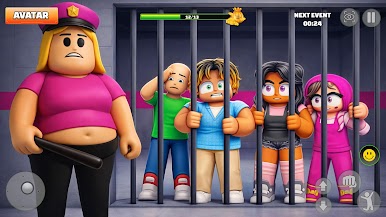
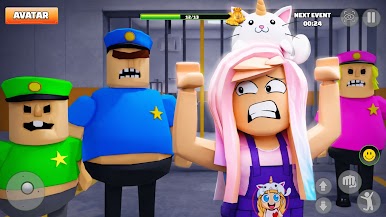
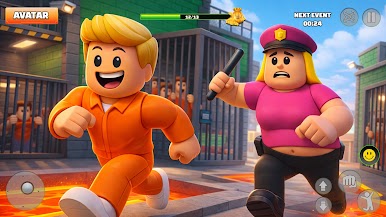
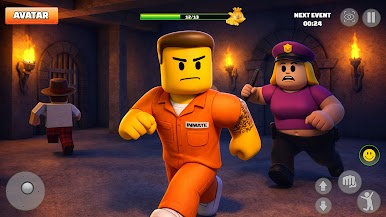
Welcome to a blocky prison escape runner where every jump, slide, and dash matters. Run through a high-security obby full of moving blocks, lasers, crushers, swinging hammers, and collapsing floors. It’s kid-friendly, fast, and packed with funny moments.
🏃 Run, Climb, and Break Out
Sprint across towers, hop over traps, and spot smart routes to the exit. Each stage adds new obstacles, hidden shortcuts, checkpoints, and timing challenges that test your reflexes. Collect coins to unlock more skins and show your style on the escape route. Beat your time and climb to freedom.
🧱 Features
• Smooth parkour controls: double jump, slide, quick dash
• Time-trial runs for speed fans
• Secret rooms and puzzle areas
• Funny blocky heroes, outfits, and skins
• Boss escape stages with unique trap patterns
😂 Fail, Laugh, Retry
Goofy reactions make every fall fun—then try again. Download and start your prison run—run fast, think smart, escape!!!!


Play Prison Runner: Obby Game 3d on PC. It’s easy to get started.
-
Download and install BlueStacks on your PC
-
Complete Google sign-in to access the Play Store, or do it later
-
Look for Prison Runner: Obby Game 3d in the search bar at the top right corner
-
Click to install Prison Runner: Obby Game 3d from the search results
-
Complete Google sign-in (if you skipped step 2) to install Prison Runner: Obby Game 3d
-
Click the Prison Runner: Obby Game 3d icon on the home screen to start playing

