


Drive X Unlimited
Play on PC with BlueStacks – the Android Gaming Platform, trusted by 500M+ gamers.

Page Modified on: Sep 15, 2026
Play Drive X Unlimited on PC
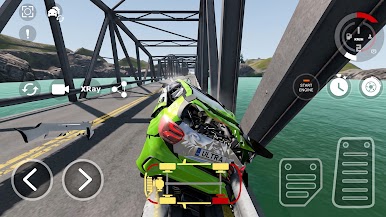
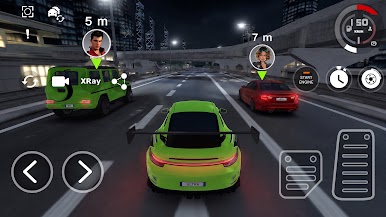
Drive X Unlimited is a car racing game built around progression. Choose your car, enter a race and put your driving skills to the test. Complete races, earn rewards and unlock new cars as you move further through the game.
Every race is a step forward. Win challenges, collect rewards and use your progress to discover new vehicles and racing locations. Build your car collection and keep unlocking new content as you take on more difficult races.
Explore a variety of locations and race across different tracks, each offering new challenges. Master sharp turns, reach high speeds, take on jumps and find the best way to conquer every track.
Your garage will grow as you progress. Unlock different cars, try new vehicles and find the ones that suit your driving style. The more races you complete, the more cars and locations you can discover.
Key features:
🏎️ Fast-paced car racing and challenging races
🚗 Many different cars to collect and unlock
🏁 A variety of racing tracks and locations
🎁 Rewards for completing races and challenges
🔓 Unlock new cars and locations as you progress
🔥 Jumps, ramps and exciting car stunts
🏆 Continuous progression with new content to discover
Race, earn rewards and build your car collection as you move from one challenge to the next. Discover new tracks, unlock new vehicles and see how far you can go in Drive X Unlimited!




Play Drive X Unlimited on PC. It’s easy to get started.
-
Download and install BlueStacks on your PC
-
Complete Google sign-in to access the Play Store, or do it later
-
Look for Drive X Unlimited in the search bar at the top right corner
-
Click to install Drive X Unlimited from the search results
-
Complete Google sign-in (if you skipped step 2) to install Drive X Unlimited
-
Click the Drive X Unlimited icon on the home screen to start playing

