


Pixel Sand Puzzle
Play on PC with BlueStacks – the Android Gaming Platform, trusted by 500M+ gamers.

Page Modified on: Sep 6, 2026
Play Pixel Sand Puzzle on PC
⏱️ Tap & Time: Tap at the right moment to control the buckets and guide the flowing sand.
🎨 Sort & Match: Watch the colors carefully, collect matching sand, and send it to the correct blocks.
🖼️ Reveal Pixel Art: Fill each color area step by step to uncover charming pixel artworks hidden beneath the sand.
🧩 Think & Adapt: Face new layouts, moving paths, and clever obstacles as the puzzles become more challenging.
✨ Enjoy the Satisfaction: Complete vibrant pictures and enjoy the relaxing feeling of watching every grain fall into place.
Easy to learn, satisfying to play! Each level brings a fresh sorting challenge with smooth sand physics and colorful pixel art rewards.
🌟 WHY YOU'LL LOVE PIXEL SAND PUZZLE
🔄 Creative Puzzle Gameplay: A fresh mix of sand sorting, timing, color matching, and pixel art reveal.
😌 Relaxing Visuals: Enjoy smooth animations, soft sand flow, and satisfying ASMR-style effects.
🚀 Lots of Fun Levels: Play through many handcrafted puzzles with new challenges and obstacles.
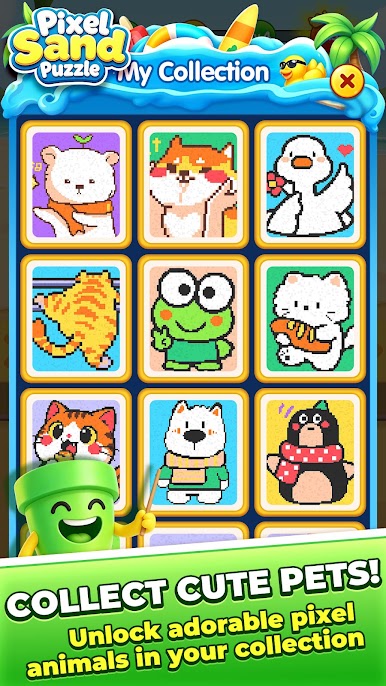
💎 Beautiful Pixel Gallery: Unlock a growing collection of cute, colorful, and detailed pixel artworks.
Download Pixel Sand Puzzle now and start your relaxing sand puzzle journey!



Play Pixel Sand Puzzle on PC. It’s easy to get started.
-
Download and install BlueStacks on your PC
-
Complete Google sign-in to access the Play Store, or do it later
-
Look for Pixel Sand Puzzle in the search bar at the top right corner
-
Click to install Pixel Sand Puzzle from the search results
-
Complete Google sign-in (if you skipped step 2) to install Pixel Sand Puzzle
-
Click the Pixel Sand Puzzle icon on the home screen to start playing

