


Watercolor Effects & Filter
Play on PC with BlueStacks – the Android Gaming Platform, trusted by 500M+ gamers.

Page Modified on: Jul 12, 2024
Run Watercolor Effects & Filter(QniPaint Watercolor) on PC or Mac
Why limit yourself to your small screen on the phone? Run Watercolor Effects & Filter(QniPaint Watercolor), an app by qnisoft, best experienced on your PC or Mac with BlueStacks, the world’s #1 Android emulator.
About the App
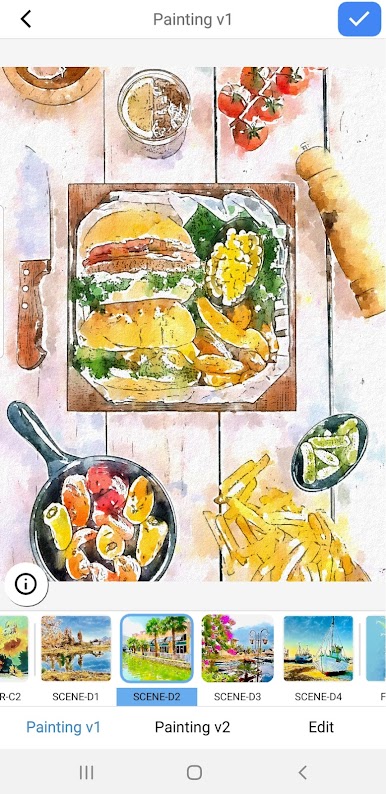
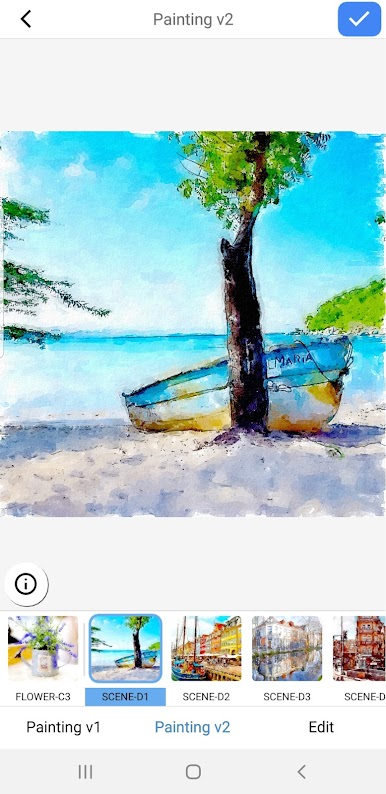
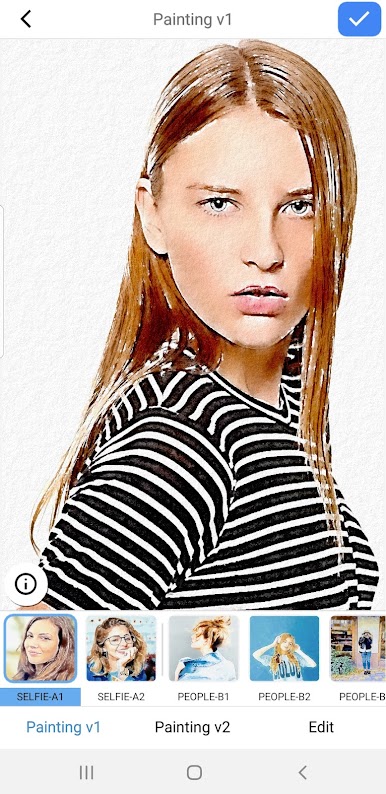
Looking for an easy way to turn everyday photos into dreamy watercolor artwork? Watercolor Effects & Filter(QniPaint Watercolor) by qnisoft is made for anyone who wants those gentle, hand-painted vibes—without actually knowing how to paint. Just pick your picture and watch it transform in a flash. Whether you’re playing around for fun or want to share something special, this Photography app brings a creative twist to your photo collection.
App Features
-
Instant Watercolor Transformations
Give your photos a totally new look that mimics real watercolor painting, right away—no brushes or mess to clean up. -
Live Preview Mode
Curious how your photo will turn out? The real-time simulation shows you changes as you make them, so you don’t have to guess. -
Realistic Smear Effects
Achieve that genuine watercolor “smudge and blend” effect, making your images look like they jumped off an artist’s canvas. -
Fine-tuned Control
Want your picture lighter? Need a touch more detail? Slide and tap to tweak lightness, paper texture, color filters, and detail until it’s just right. -
Smart Painting Modes
Whether it’s a portrait or a landscape, you can switch between people mode and scene mode for the best results. -
High Resolution Output
Save your new masterpieces in full HD, perfect for prints or sharing online. -
Effortless Sharing
It’s super easy to post your watercolored shots directly to your favorite social feeds in a couple taps.
Plus, if you’re someone who likes doing creative projects on a bigger screen, the app works smoothly with BlueStacks. Try it out and see your photos in a whole new light.
BlueStacks gives you the much-needed freedom to experience your favorite apps on a bigger screen. Get it now.






Play Watercolor Effects & Filter on PC. It’s easy to get started.
-
Download and install BlueStacks on your PC
-
Complete Google sign-in to access the Play Store, or do it later
-
Look for Watercolor Effects & Filter in the search bar at the top right corner
-
Click to install Watercolor Effects & Filter from the search results
-
Complete Google sign-in (if you skipped step 2) to install Watercolor Effects & Filter
-
Click the Watercolor Effects & Filter icon on the home screen to start playing

