


minimalist phone® Screen Time
Play on PC with BlueStacks – the Android Gaming Platform, trusted by 500M+ gamers.

Page Modified on: Oct 13, 2026
Run minimalist phone: Screen Time on PC or Mac
Upgrade your experience. Try minimalist phone: Screen Time, the fantastic Productivity app from Focus Experts, from the comfort of your laptop, PC, or Mac, only on BlueStacks.
About the App
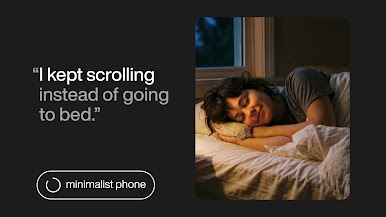
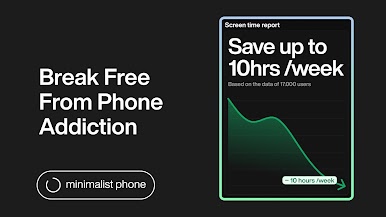
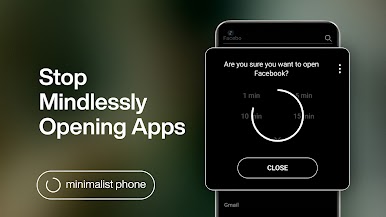
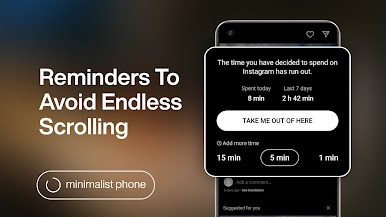
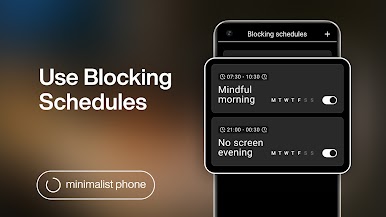
Turn your device into a “minimalist phone: Screen Time” with Focus Experts. This productivity app lets you control screen time through app blocking and notification filtering. Expect a blissfully simple home screen that encourages digital detox and improves focus by allowing you to set limits on app usage.
App Features
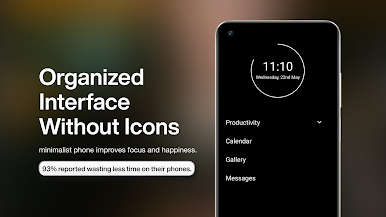
Minimal Interface
Enjoy a straightforward launcher supporting digital detox with a time limit and app blocker.
Notification Filter
Shift unimportant alerts out of sight to boost productivity and reduce procrastination.
Customizable Design
Tailor color themes, fonts, and more with the grayscale and monochrome modes available for use on your PC with BlueStacks.
App Management
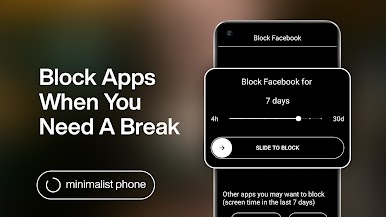
Block, hide, or rename apps to manage usage and maintain focus.
Supports Work Profiles
Install from non-work profiles to ensure the app integrates smoothly with work apps.
“minimalist phone: Screen Time” reshapes your device into a tool for concentration, helping you steer clear of distractions mindfully.
Switch to BlueStacks and make the most of your apps on your PC or Mac.
Play minimalist phone® Screen Time on PC. It’s easy to get started.
-
Download and install BlueStacks on your PC
-
Complete Google sign-in to access the Play Store, or do it later
-
Look for minimalist phone® Screen Time in the search bar at the top right corner
-
Click to install minimalist phone® Screen Time from the search results
-
Complete Google sign-in (if you skipped step 2) to install minimalist phone® Screen Time
-
Click the minimalist phone® Screen Time icon on the home screen to start playing

