


Kuroko's Basketball SR
Play on PC with BlueStacks – the Android Gaming Platform, trusted by 500M+ gamers.

Page Modified on: Feb 14, 2026
Main Kuroko's Basketball SR on PC
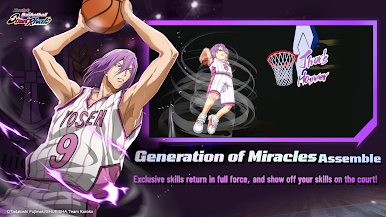
[Breathtaking Skill Animations!]
Perfectly recreate each character's signature skills, like Kuroko's "Misdirection" and Kagami's "Air Walk." Use your matserful controls to execute the most dazzling skill combos!
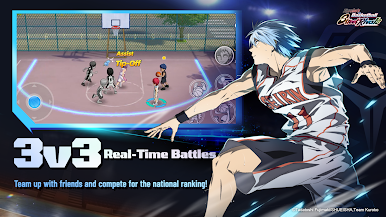
[Multiple Modes & Thrilling Multiplayer Online Battles!]
Beyond the core 3v3 match mode, enjoy a variety of other modes like 1v1, 2v2, and Ranked Matches. Dive into intense real-time competition against players from across the entire server!
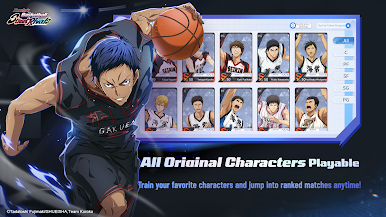
[The Kings of Every Team Assemble!]
It's not just Seirin and Kaijo High-all the powerhouse schools from "Kuroko's Basketball" are gathered here! Freely develop your favorite players and bring them into the fray!
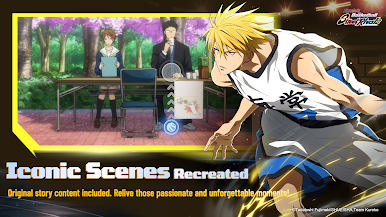
[100% Faithful Story, Featuring Original Voices!]
Dive into the distinctive Story Mode, which fully incorporates the original anime voice-overs and plot. Become a member of the team and personally experience every single match from the story!
Follow Us:
Facebook: https://www.facebook.com/profile.php?id=61584289710356
YouTube: https://www.youtube.com/@kurokosbasketballsrGLO
TikTok: https://www.tiktok.com/@kurokosbasketballsr
Instagram: https://www.instagram.com/kurokosbasketballsrglobal/
Follow Us: https://kurokous.quickmagic.ai/en


Play Kuroko's Basketball SR on PC. It’s easy to get started.
-
Download and install BlueStacks on your PC
-
Complete Google sign-in to access the Play Store, or do it later
-
Look for Kuroko's Basketball SR in the search bar at the top right corner
-
Click to install Kuroko's Basketball SR from the search results
-
Complete Google sign-in (if you skipped step 2) to install Kuroko's Basketball SR
-
Click the Kuroko's Basketball SR icon on the home screen to start playing

