


Midnight Car Drifting Game
Play on PC with BlueStacks – the Android Gaming Platform, trusted by 500M+ gamers.

Page Modified on: Mar 30, 2026
Play Midnight Car Drifting Game on PC
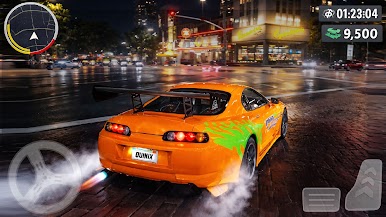
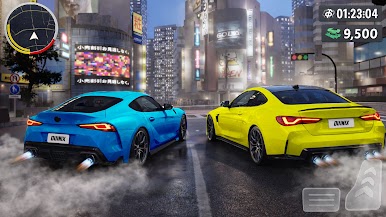
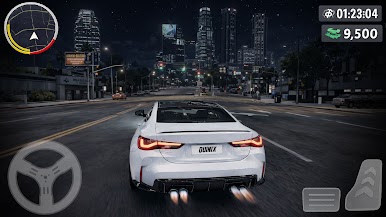
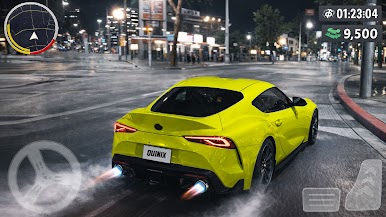
Experience the thrill of high-speed car racing at midnight, where neon lights, empty streets, and roaring engines create the ultimate underground racing atmosphere. Designed for racing fans who love street cars, night drives, and competitive speed challenges, this game delivers intense action with smooth controls and immersive visuals.
🔥 GAME FEATURES
🌃 Midnight Street Racing – Race through neon-lit city roads after dark
🚗 Multiple Racing Cars – Unlock and drive powerful sports cars
🎨 Car Customization – Upgrade speed, handling, brakes, and style
🏁 Challenging Race Modes – Quick races, checkpoints, and time trials
🎮 Easy Controls – Touch and tilt options for smooth driving
🌌 Dynamic Night Environment – Realistic lighting and city atmosphere
📱 Optimized Performance – Runs smoothly on low and high-end devices
🏆 WHY YOU’LL LOVE IT
If you enjoy car racing games, night driving simulators, and street racing challenges, Midnight Car Racing Game is built for you. Master tight turns, boost your speed, and dominate midnight streets to become the ultimate night racer.
🚀 PRE-REGISTER NOW
Be among the first players to hit the roads when the game launches.
Pre-register today and get ready to race the night!
Play Midnight Car Drifting Game on PC. It’s easy to get started.
-
Download and install BlueStacks on your PC
-
Complete Google sign-in to access the Play Store, or do it later
-
Look for Midnight Car Drifting Game in the search bar at the top right corner
-
Click to install Midnight Car Drifting Game from the search results
-
Complete Google sign-in (if you skipped step 2) to install Midnight Car Drifting Game
-
Click the Midnight Car Drifting Game icon on the home screen to start playing

