


Rips by Triumph App
Play on PC with BlueStacks – the Android Gaming Platform, trusted by 500M+ gamers.

Page Modified on: Aug 5, 2026
Play Rips by Triumph App on PC
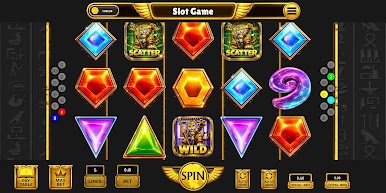
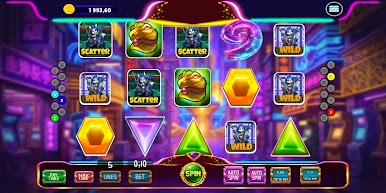
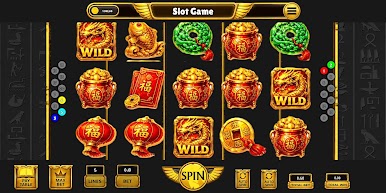
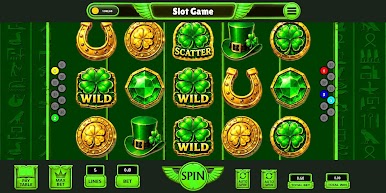
Spin the reels, match symbols, and discover different themed slot machines featuring unique artwork, visual effects, and bonus symbols. Each machine offers its own style while keeping the gameplay simple and fun.
Features
🎰 Multiple unique slot machine themes
✨ High-quality graphics and smooth animations
🍀 Wild and Scatter bonus symbols
💰 Virtual coin system
🎨 Beautiful themed designs and colorful effects
⚡ Fast and easy one-tap gameplay
📱 Optimized for phones and tablets
🌐 Play anytime without an internet connection
Included Slot Themes
🍀 Lucky Clover Slot
💎 Gem Treasure Slot
🐉 Fortune Dragon Slot
🌃 Neon Night Slot
Each slot machine includes its own symbols, backgrounds, and visual style to provide a fresh experience every time you play.
Play Rips by Triumph App on PC. It’s easy to get started.
-
Download and install BlueStacks on your PC
-
Complete Google sign-in to access the Play Store, or do it later
-
Look for Rips by Triumph App in the search bar at the top right corner
-
Click to install Rips by Triumph App from the search results
-
Complete Google sign-in (if you skipped step 2) to install Rips by Triumph App
-
Click the Rips by Triumph App icon on the home screen to start playing

