


Red Bull Padel: Court Legends
Play on PC with BlueStacks – the Android Gaming Platform, trusted by 500M+ gamers.

Page Modified on: Jun 26, 2026
Play Red Bull Padel: Court Legends on PC or Mac
Play Red Bull Padel: Court Legends by Red Bull on PC or Mac with BlueStacks. Use a bigger screen, mouse and keyboard controls, and smoother performance while you play.
About the Game
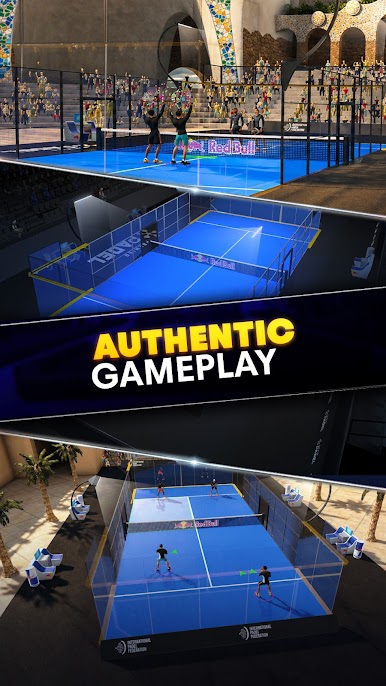
Red Bull Padel: Court Legends is a fast, tactical Sports game that nails the feel of padel—smart angles, quick reactions, and clutch decisions off the glass. Build a club, shape your roster, and step onto vibrant courts where every rally can flip on a single bounce. Clean physics make wall reads, volleys, smashes, and even a cheeky bandeja feel satisfyingly real.
Game Features
- Authentic wall play: Shots skid, kick, and rebound just right, so timing and positioning matter as much as power.
- Real-time competition: Face rivals in live matches and climb ranked leagues if you’re hungry for the spotlight.
- Build your padel club: Scout prospects, sign the right partners, and balance attributes to create pairs that actually click on court.
- Train and specialize: Upgrade control, stamina, and power, then unlock traits that shape each player’s style.
- Partner tactics that win points: Target weak spots, set up screens off the wall, and design pairings with real synergy.
- Global courts: Travel a world tour of eye-catching venues, each with its own vibe and atmosphere.
- Hall of Fame and offline rewards: Retire legends to cement their legacy and keep progress rolling even when you’re not playing.
- Smooth, intuitive controls: Easy to learn with depth to master; on BlueStacks, custom keymapping and gamepad support make precision placement feel extra clean.
- Polished presentation: Crisp visuals, responsive animations, and satisfying sound on every contact keep matches snappy and fun.
Start playing Red Bull Padel: Court Legends on BlueStacks and get a smoother, more comfortable PC or Mac setup.





Play Red Bull Padel: Court Legends on PC. It’s easy to get started.
-
Download and install BlueStacks on your PC
-
Complete Google sign-in to access the Play Store, or do it later
-
Look for Red Bull Padel: Court Legends in the search bar at the top right corner
-
Click to install Red Bull Padel: Court Legends from the search results
-
Complete Google sign-in (if you skipped step 2) to install Red Bull Padel: Court Legends
-
Click the Red Bull Padel: Court Legends icon on the home screen to start playing

