


ROM: Golden Age
Play on PC with BlueStacks – the Android Gaming Platform, trusted by 500M+ gamers.

Page Modified on: Jan 25, 2026
Main ROM: Golden Age on PC
▣ Game introduction ▣
Unfold the grand saga on the continent of Calderas!
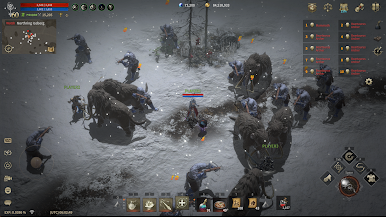
Constant fights on the global battlefield with no boundaries.
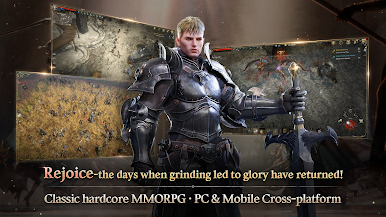
■ Rejoice—the days when grinding led to glory have returned!
Classic hardcore MMORPG / PC & Mobile Cross-platform
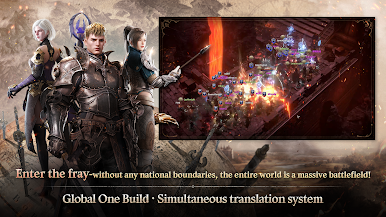
■ Enter the fray—without any national boundaries
The entire world is a massive battlefield!
Global One Build/ Simultaneous translation system
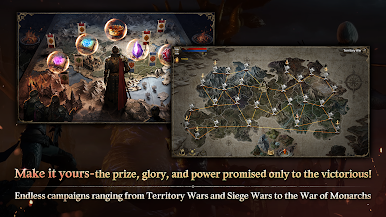
■ Make it yours—the prize, glory, and power promised only to the victorious!
Endless campaigns ranging from Territory Wars and Siege Wars to the War of Monarchs
■ Enjoy—make the most of your money in the free marketplace with personal trading system
Item sealing system, and server/world auction houses
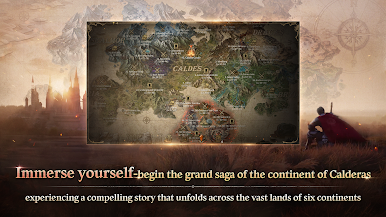
■ Immerse yourself—begin the grand saga of the continent of Calderas
Experiencing a compelling story that unfolds across the vast lands of five continents
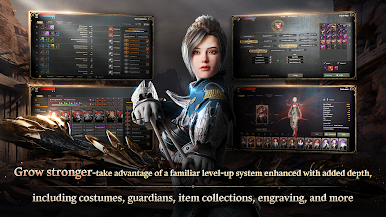
■ Grow stronger—take advantage of a familiar level-up system enhanced with added depth
Including costumes, guardians, item collections, engraving, and more
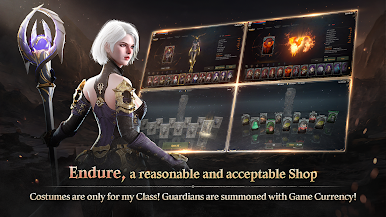
■ Be patient—the shop offers reasonable prices
Exclusive costumes for your selected class !
Summoning guardians with soft currency !
[Official Community]
Website: https://romgoldenage.com/
YouTube: https://www.youtube.com/@ROM_GoldenAge
=============================
[Minimum Specs]
・ Android 10 or higher
・ RAM 4GB
[Mandatory App Permissions]
・[Select] Save photos/media/file:
Request access to download resources and save game data
[How to Withdraw Permissions]
・Android 6.0 or higher:
Settings > Applications > Select App > Permissions > Withdraw access.
・Under Android 6.0:
Withdraw permission cannot be done and the app needs to be uninstalled. We recommend you to upgrade the Android Version.


Play ROM: Golden Age on PC. It’s easy to get started.
-
Download and install BlueStacks on your PC
-
Complete Google sign-in to access the Play Store, or do it later
-
Look for ROM: Golden Age in the search bar at the top right corner
-
Click to install ROM: Golden Age from the search results
-
Complete Google sign-in (if you skipped step 2) to install ROM: Golden Age
-
Click the ROM: Golden Age icon on the home screen to start playing

