


Fruit Cutter - TV
Play on PC with BlueStacks – the Android Gaming Platform, trusted by 500M+ gamers.

Page Modified on: Apr 20, 2026
Play Fruit Cutter - TV on PC
This fruit slicing game uses simple controls and a consistent gameplay loop suitable for both short and extended sessions.
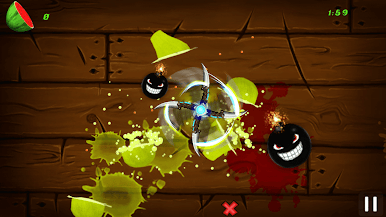
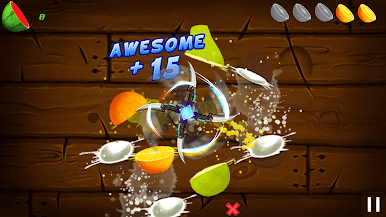
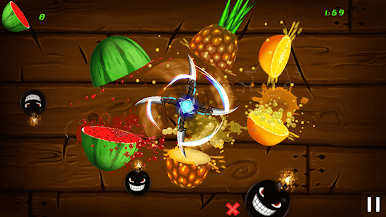
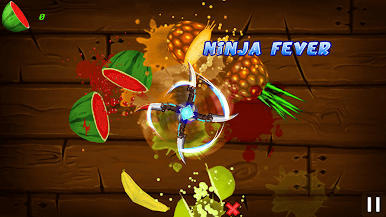
Swipe across the screen to slice moving fruits with precision. Each interaction is designed to be responsive, with clear visual feedback.
Play at your own pace with steady or faster gameplay depending on the selected mode.
🍉 Game Modes
The game includes different modes to support varied play styles:
Classic Mode – Slice fruits while avoiding obstacles
Arcade Mode – Score points within a limited time
Zen Mode – Continuous slicing without time limits or obstacles
Challenge Mode – Complete defined gameplay objectives
⚡ Gameplay Elements
Moving fruits with varied speed and patterns
Score-based progression system
Optional power-ups that modify gameplay behavior:
Time slow effect
Score multiplier
Increased fruit spawn
Protection from obstacles
⭐ Features
Touch-based slicing controls
Clean and readable visuals
Sound effects for interaction feedback
Offline gameplay support
Designed for different skill levels
Play Fruit Cutter - TV on PC. It’s easy to get started.
-
Download and install BlueStacks on your PC
-
Complete Google sign-in to access the Play Store, or do it later
-
Look for Fruit Cutter - TV in the search bar at the top right corner
-
Click to install Fruit Cutter - TV from the search results
-
Complete Google sign-in (if you skipped step 2) to install Fruit Cutter - TV
-
Click the Fruit Cutter - TV icon on the home screen to start playing

