


Stunt Extreme - TV
Play on PC with BlueStacks – the Android Gaming Platform, trusted by 500M+ gamers.

Page Modified on: Apr 22, 2026
Play Stunt Extreme - TV on PC
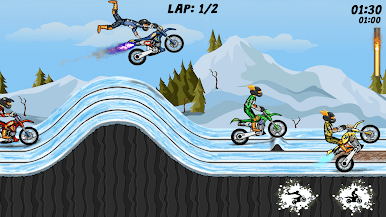
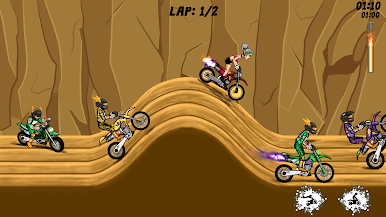
Ride a dirt bike through side-scrolling tracks and perform stunts while completing levels within a set time. Control speed, balance, and timing to navigate ramps, jumps, and obstacles.
The gameplay focuses on maintaining control during movement and executing stunts across different track layouts.
Gameplay:
Ride across varied tracks and perform jumps and tricks using simple controls. Each level involves reaching the finish point while managing speed and avoiding crashes.
Players can repeat levels to improve timing and control.
Features
- Side-scrolling bike gameplay
- Tracks with ramps, jumps, and obstacles
- Stunt-based movement mechanics
- Time-based level progression
- Simple controls for movement and balance
- Suitable for different skill levels


Play Stunt Extreme - TV on PC. It’s easy to get started.
-
Download and install BlueStacks on your PC
-
Complete Google sign-in to access the Play Store, or do it later
-
Look for Stunt Extreme - TV in the search bar at the top right corner
-
Click to install Stunt Extreme - TV from the search results
-
Complete Google sign-in (if you skipped step 2) to install Stunt Extreme - TV
-
Click the Stunt Extreme - TV icon on the home screen to start playing

