


Code Editor - Compiler & IDE
Play on PC with BlueStacks – the Android Gaming Platform, trusted by 500M+ gamers.

Page Modified on: Sep 5, 2025
Run Code Editor - Compiler & IDE on PC or Mac
Why limit yourself to your small screen on the phone? Run Code Editor – Compiler & IDE, an app by Rhythm Software, best experienced on your PC or Mac with BlueStacks, the world’s #1 Android emulator.
About the App
If you love writing code or just need an easy way to edit scripts on the go, Code Editor – Compiler & IDE from Rhythm Software is a totally solid pick. This app’s all about making coding on your Android device feel smooth and intuitive, whether you’re fixing a bug, working on a project, or just trying ideas out. Expect a comfortable, feature-rich editor that doesn’t get in your way. And if you prefer working from your computer, you can jump in using BlueStacks without missing a beat.
App Features
-
Wide Language Support
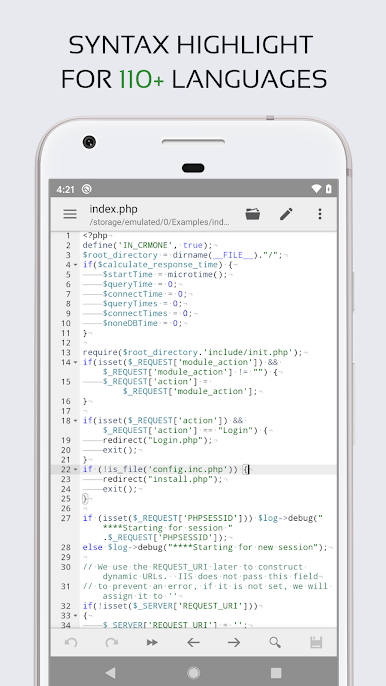
You’ll find syntax highlighting for over 100 programming languages, so whether you dabble in Python, JavaScript, C++, or something more niche, your code will always be easy to read (and spot mistakes in). -
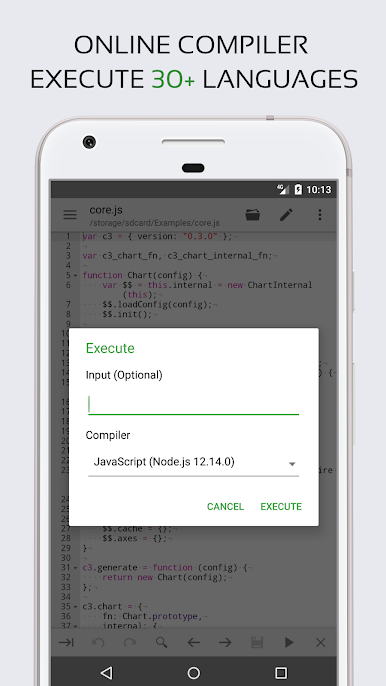
Instant Compilation & Run
There’s a built-in online compiler that lets you write, compile, and run code for over thirty popular languages—including Python, Java, PHP, Rust, and more—without leaving the app. -
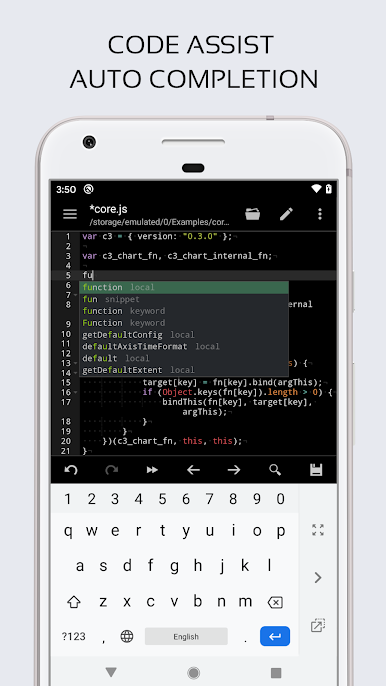
Smart Editing Tools
Features like auto-completion, code assist, and code folding help speed up editing and keep big files manageable. You can undo or redo as much as you like, and search-and-replace with regular expressions makes editing a breeze. -
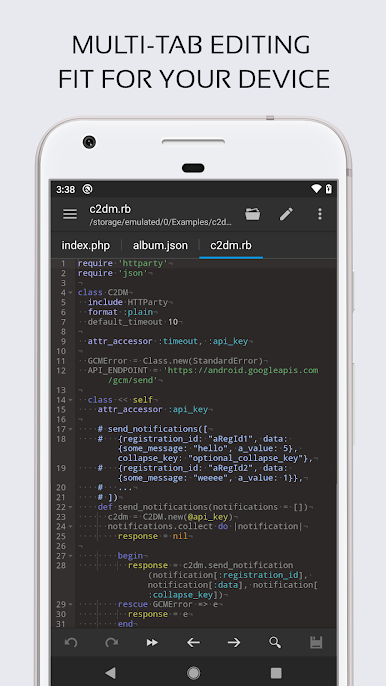
Multi-Tab Navigation
Quickly switch between files or projects with simple tabbed browsing, keeping everything organized—even on busy days. -
Web Development Friendly
With Emmet support, HTML and Markdown preview, and a JavaScript console built in, web developers get all their must-have features right here. -
Easy File Access & Cloud Integration
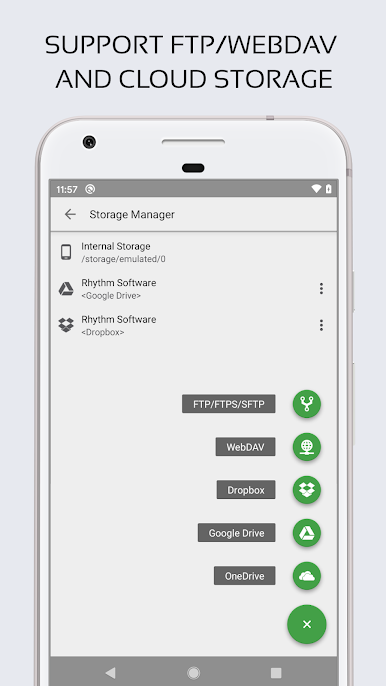
Open, save, or sync work via Google Drive, Dropbox, OneDrive, FTP, SFTP, or even pull directly from GitHub and GitLab repositories. -
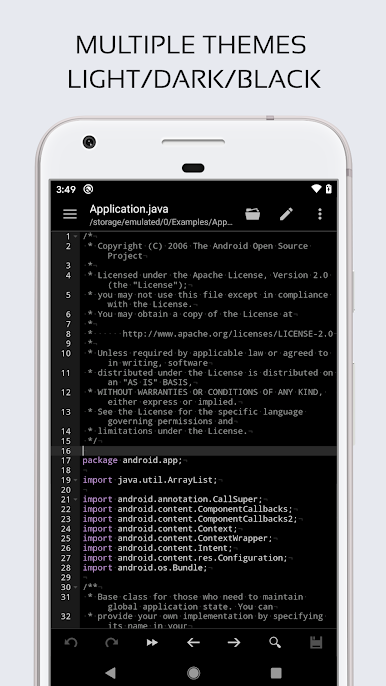
Customizable Interface
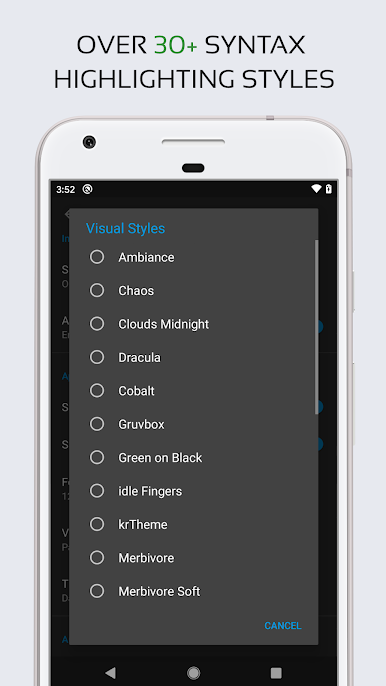
Tweak the way the app looks—with several app themes and over thirty syntax color schemes—to keep those late-night coding sessions a bit easier on your eyes. -
Hardware Keyboard Support
Working with a physical keyboard? No problem—key combinations are fully supported, so you can use your usual shortcuts. -
Line Management and Visibility Features
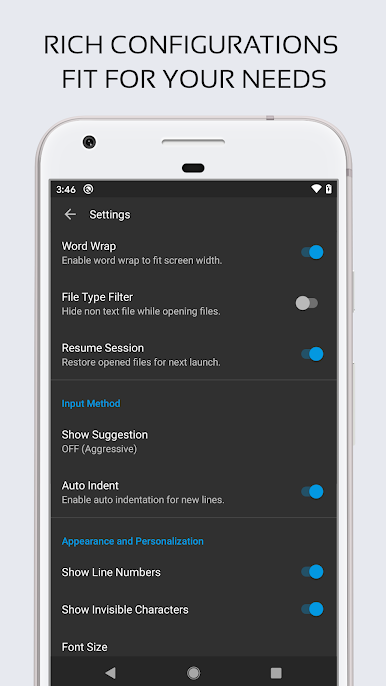
Toggle line numbers, highlight matching parentheses, and even show invisible characters—little things that make writing and navigating code less of a headache.
Using Code Editor – Compiler & IDE is about making coding on Android straightforward while packing in everything you’d expect from a solid productivity tool. And if you’d rather use it on your desktop, BlueStacks takes care of that transition, no problem.
BlueStacks gives you the much-needed freedom to experience your favorite apps on a bigger screen. Get it now.
Play Code Editor - Compiler & IDE on PC. It’s easy to get started.
-
Download and install BlueStacks on your PC
-
Complete Google sign-in to access the Play Store, or do it later
-
Look for Code Editor - Compiler & IDE in the search bar at the top right corner
-
Click to install Code Editor - Compiler & IDE from the search results
-
Complete Google sign-in (if you skipped step 2) to install Code Editor - Compiler & IDE
-
Click the Code Editor - Compiler & IDE icon on the home screen to start playing

