


Royal Adventure
Play on PC with BlueStacks – the Android Gaming Platform, trusted by 500M+ gamers.

Page Modified on: Aug 25, 2022
Play Royal Adventure on PC or Mac
Royal Adventure is a Adventure Game developed by YU-one Game. BlueStacks app player is the best platform to play this Android Game on your PC or Mac for an immersive gaming experience.
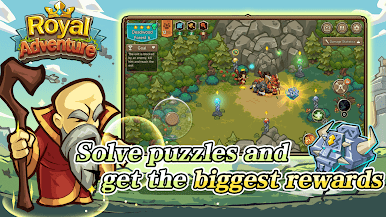
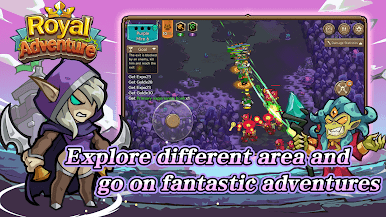
Download Royal Adventure on PC with BlueStacks and put together an unstoppable party to rescue the princess and rebuild your fallen kingdom in this addictive RPG adventure experience for Android.
Recruit acclaimed warriors from across the land in a campaign to save the captive princess from the clutches of the knaves who slayed her father and took her away. The future of your kingdom rests in your hands, brave knight!
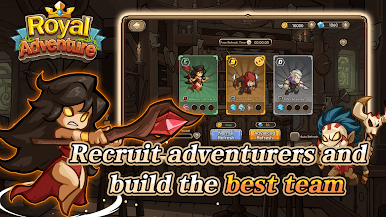
Before every engagement, you’ll have the opportunity to choose the right fighters for the job. Pay attention to the enemy party composition, then exploit their weaknesses with a team built to defeat them.
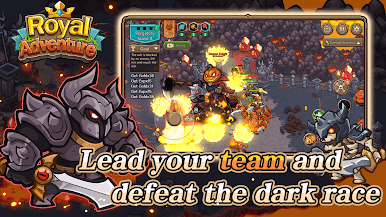
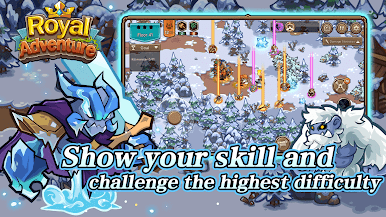
Each character is totally unique, with their own strengths, weaknesses, and ground-shaking skills and abilities that can turn the tide of battle in an instant.
Download Royal Adventure on PC with BlueStacks and recruit adventurers to build the very best team possible!
Play Royal Adventure on PC. It’s easy to get started.
-
Download and install BlueStacks on your PC
-
Complete Google sign-in to access the Play Store, or do it later
-
Look for Royal Adventure in the search bar at the top right corner
-
Click to install Royal Adventure from the search results
-
Complete Google sign-in (if you skipped step 2) to install Royal Adventure
-
Click the Royal Adventure icon on the home screen to start playing

