


ivehub
Play on PC with BlueStacks – the Android Gaming Platform, trusted by 500M+ gamers.

Page Modified on: Oct 28, 2025
Play ivehub on PC
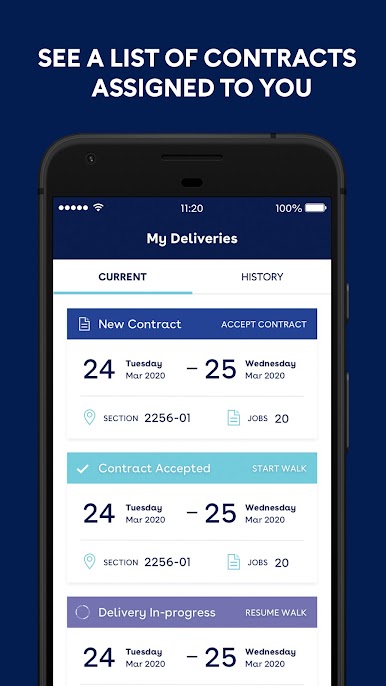
Developed specifically for IVE Distribution network, ivehub is here to make your life easier. ivehub offers you the flexibility to view and accept contracts, see your walk progress, then validate when you’re done! All this and more anywhere, anytime.
ivehub is a free app available for iPhones and Android smartphones.
Features:
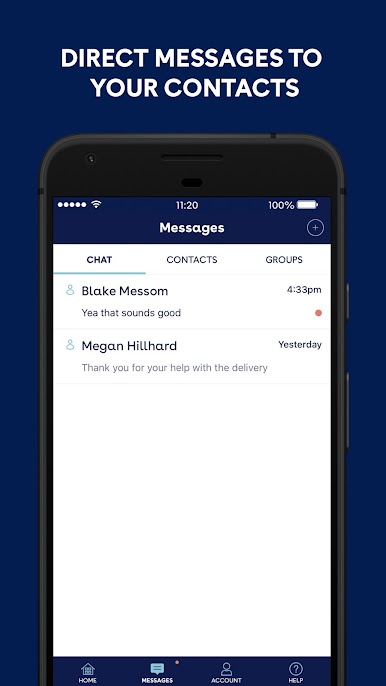
Messages - Send or receive messages between you and the IVE support team
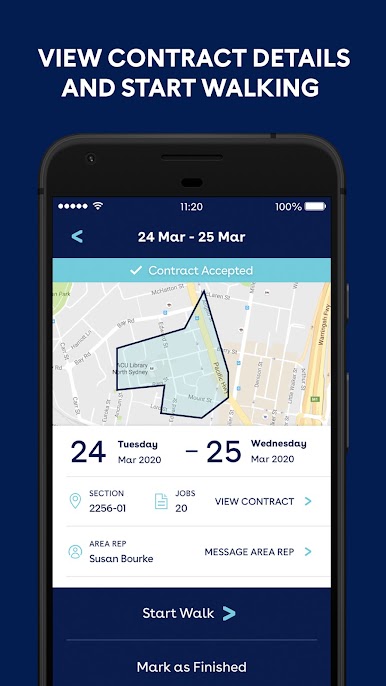
Contracts - View contract details, accept and validate in one easy location
Maps - Check your section boundaries before and during the distribution
Walk - View your progress as you go
Share Walk - Invite helpers to help with your deliveries and view their finished walk
ARAudit - To conduct section audits
Extra Sections - Take on an extra section near you
Note: Use of your network data may apply. Wi-Fi can be used if you do not have a data plan.
Play ivehub on PC. It’s easy to get started.
-
Download and install BlueStacks on your PC
-
Complete Google sign-in to access the Play Store, or do it later
-
Look for ivehub in the search bar at the top right corner
-
Click to install ivehub from the search results
-
Complete Google sign-in (if you skipped step 2) to install ivehub
-
Click the ivehub icon on the home screen to start playing

