


AI學習導師
Play on PC with BlueStacks – the Android Gaming Platform, trusted by 500M+ gamers.

Page Modified on: Jun 4, 2026
Play AI學習導師 on PC
Teachers assign classes, children make progress, master the learning rhythm together!
Tailor-made for teaching institutions
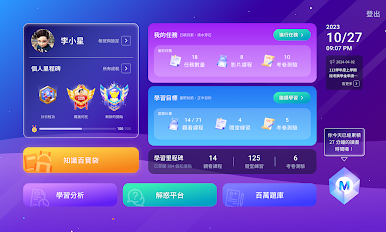
Assist teachers to effectively assign classes, arrange online tests, and track progress
Let students clearly understand what to do every day and where they need to strengthen
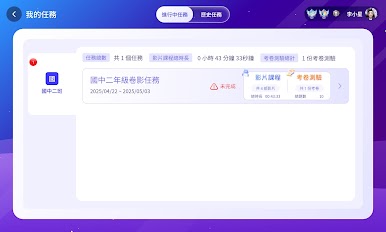
📌 Connect with the teacher system to receive learning tasks and plan progress
Distribute learning tasks through the Web system, and the App will instantly display the list and progress tracking
📌 Complete tasks, record clearly, and do not miss any step
Course videos and question exercises are fully integrated to develop a regular learning rhythm
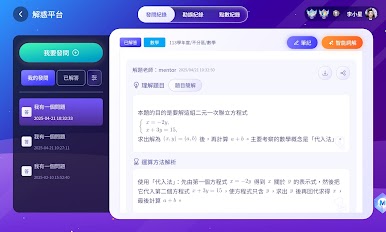
📌 AI problem-solving assists, learning is not stuck
Ask questions you don’t understand immediately, AI problem-solving + extended exercises to truly learn the concepts
📌 Personal learning space, convenient note organization and wrong question review
Wrong questions are automatically collected + note tags are classified, and you can review what you have learned at any time
Not just an App, but also a learning tool that connects teachers and students
Review and reinforcement, progress tracking can be clearly seen
AI Learning Tutor, open up a new task-oriented learning experience!

Play AI學習導師 on PC. It’s easy to get started.
-
Download and install BlueStacks on your PC
-
Complete Google sign-in to access the Play Store, or do it later
-
Look for AI學習導師 in the search bar at the top right corner
-
Click to install AI學習導師 from the search results
-
Complete Google sign-in (if you skipped step 2) to install AI學習導師
-
Click the AI學習導師 icon on the home screen to start playing

