


DiDi China: Ride Hailing
Play on PC with BlueStacks – the Android Gaming Platform, trusted by 500M+ gamers.

Page Modified on: Sep 17, 2026
Play DiDi China: Ride Hailing on PC
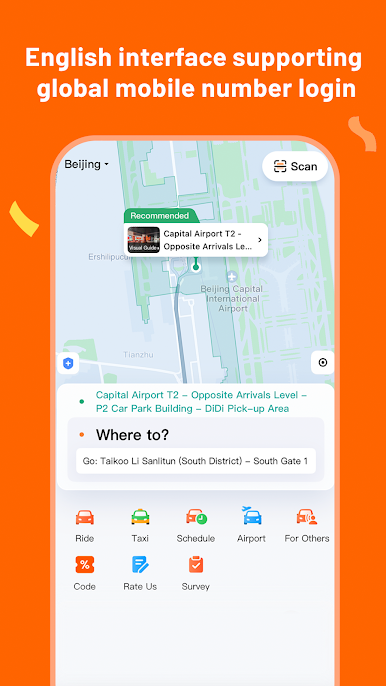
【English interface supporting global mobile number login】
Inbound users can access the English version of ride-hailing services with ease and register with their mobile number.
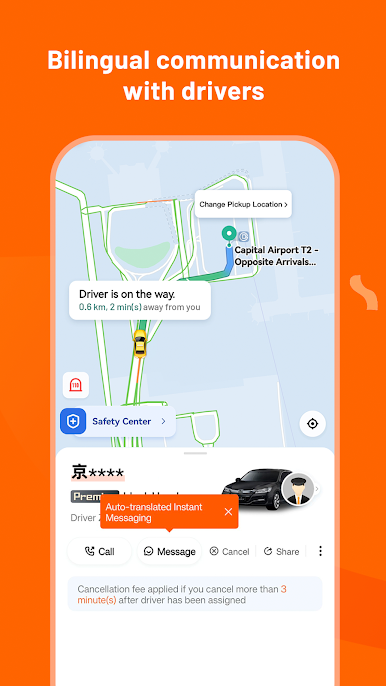
【Bilingual communication with drivers】
The in-app messaging feature with bilingual translation between English and Chinese ensures smooth communication between riders and drivers.
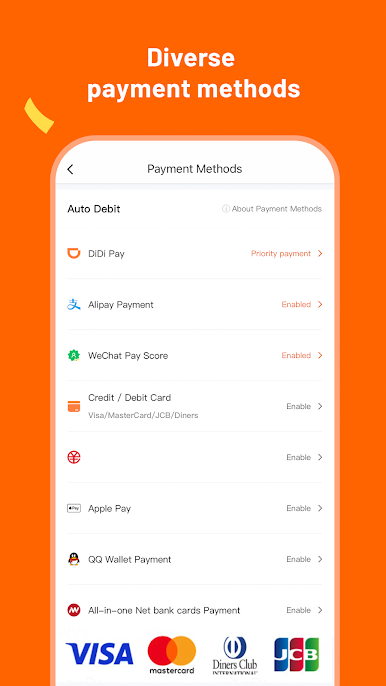
【Diverse payment methods】
Users can access multiple payment options, including international bank cards.
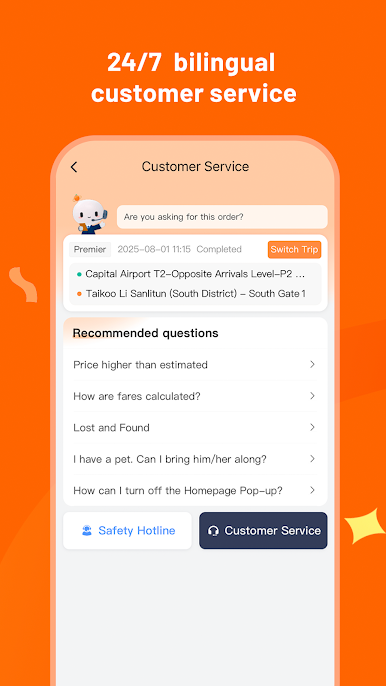
【24/7 bilingual customer service】DiDi provides 24/7 in-app online English customer service.
Background location permissions are required for recording routes, planning navigation routes, calculating ride charges, and facilitating driver-passenger meetings.
DiDi is committed to enhancing its services to deliver a convenient, quality travel experience for global users.

Play DiDi China: Ride Hailing on PC. It’s easy to get started.
-
Download and install BlueStacks on your PC
-
Complete Google sign-in to access the Play Store, or do it later
-
Look for DiDi China: Ride Hailing in the search bar at the top right corner
-
Click to install DiDi China: Ride Hailing from the search results
-
Complete Google sign-in (if you skipped step 2) to install DiDi China: Ride Hailing
-
Click the DiDi China: Ride Hailing icon on the home screen to start playing

