


Path of Spellcraft
Play on PC with BlueStacks – the Android Gaming Platform, trusted by 500M+ gamers.

Page Modified on: Jul 9, 2026
Main Path of Spellcraft on PC
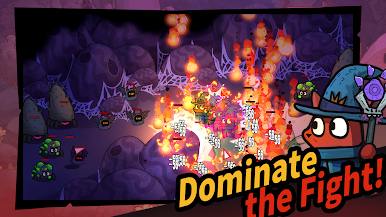
Craft your own skills and unleash builds that are truly yours. Dive into fast, easy loot runs where every challenge feels fresh and rewarding.
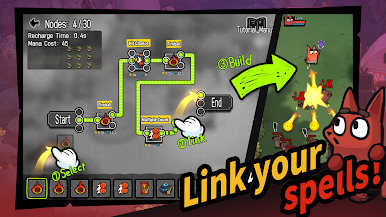
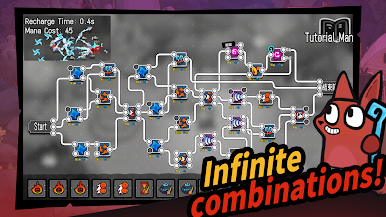
【True Skill Crafting Freedom】
Skills aren’t just stats — they’re built by you.
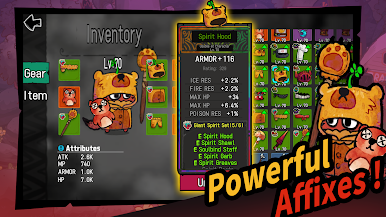
Customize logic, effects, and gear affixes to create endless combinations and unique combat styles. Every run plays differently.
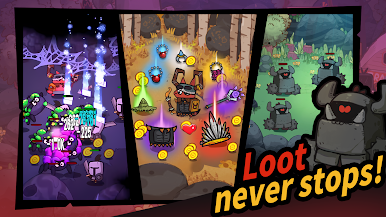
【Easy & Fun Loot Runs】
A casual take on ARPG looting.
Explore varied stages, defeat monsters, and earn powerful gear to grow your build and enjoy the thrill of progression.
【Style Meets Power】
Gear isn’t just strong — it looks great too.
Every piece comes with its own visual style, so you can fight hard and look good doing it.
Play Path of Spellcraft on PC. It’s easy to get started.
-
Download and install BlueStacks on your PC
-
Complete Google sign-in to access the Play Store, or do it later
-
Look for Path of Spellcraft in the search bar at the top right corner
-
Click to install Path of Spellcraft from the search results
-
Complete Google sign-in (if you skipped step 2) to install Path of Spellcraft
-
Click the Path of Spellcraft icon on the home screen to start playing

