


Siren Fantasy: Block Slide
Play on PC with BlueStacks – the Android Gaming Platform, trusted by 500M+ gamers.

Page Modified on: Jun 13, 2026
Play Siren Fantasy: Block Slide on PC
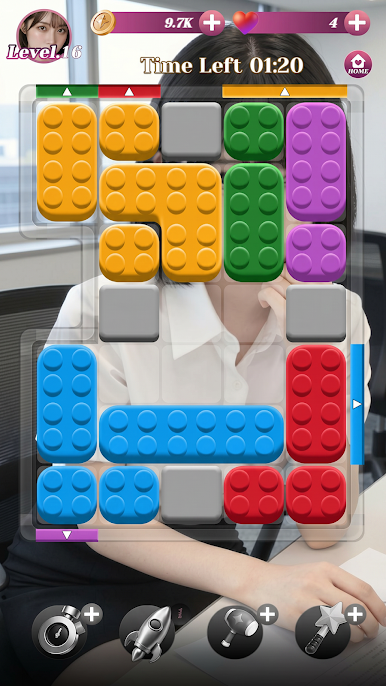
Slide vibrant blocks to matching gates in this addictive strategy adventure. Clear the grid, earn rewards, and progress through a legendary saga.
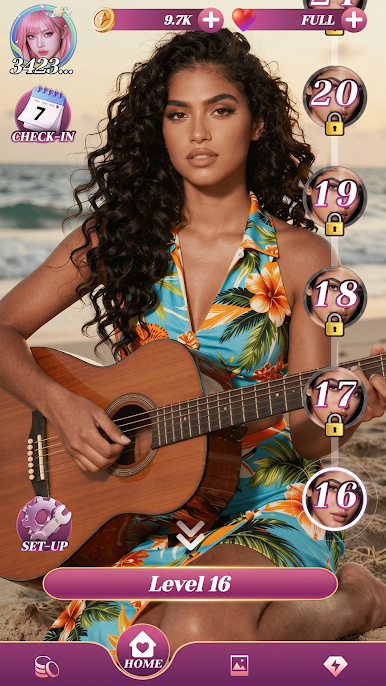
Meet the Sirens—mystical guardians of this realm. Unlock their stories and let them guide you through hundreds of challenging levels.
How to Play:
• Slide: Move blocks to reach matching gates.
• Strategy: Dodge obstacles to clear the board.
• Unlock: Earn hearts for new character profiles.
Key Features:
• Mystical Sirens: Collect a diverse cast of companions.
• Gallery: Unlock exclusive artwork as you progress.
• Boosters: Use Hammers and Rockets for tricky grids.
• Rewards: Fresh challenges and daily bonuses.
Simple to learn, impossible to quit. Start your journey today!



Play Siren Fantasy: Block Slide on PC. It’s easy to get started.
-
Download and install BlueStacks on your PC
-
Complete Google sign-in to access the Play Store, or do it later
-
Look for Siren Fantasy: Block Slide in the search bar at the top right corner
-
Click to install Siren Fantasy: Block Slide from the search results
-
Complete Google sign-in (if you skipped step 2) to install Siren Fantasy: Block Slide
-
Click the Siren Fantasy: Block Slide icon on the home screen to start playing

