


Police Chief
Play on PC with BlueStacks – the Android Gaming Platform, trusted by 500M+ gamers.

Page Modified on: Sep 4, 2026
Main Police Chief on PC
1. Design & Build Your Police HQ
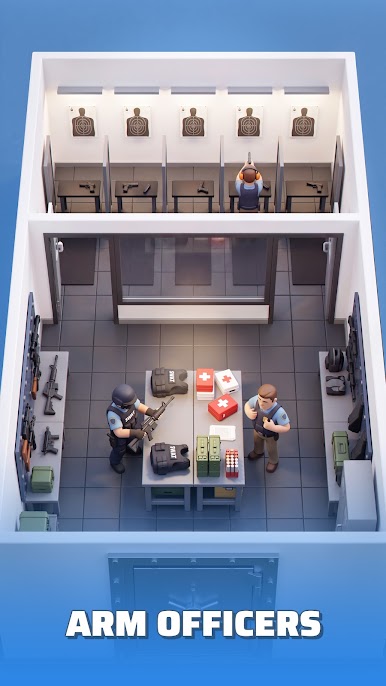
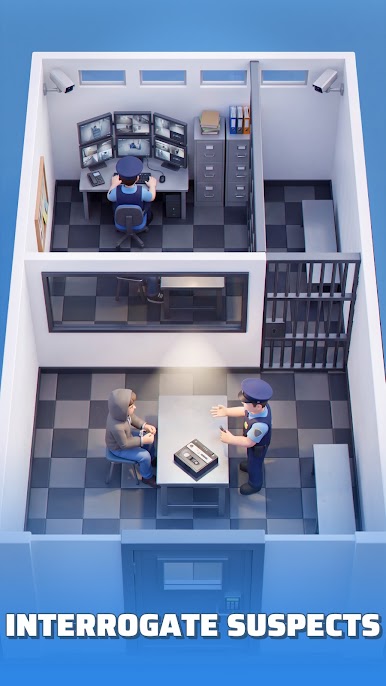
Build an empire of justice from the ground up! Freely arrange facilities such as interrogation rooms, holding cells, and armories to optimize investigations. Every brick you lay brings the city closer to order.
2. Recruit Officers & Upgrade Gear
Assemble a dream team of elite officers to dismantle criminal schemes. Invest resources in advanced weaponry and vehicles to handle escalating threats.
3. Investigate Cases Strategically
Intimidation or incentives? Choose interrogation strategies and adapt your approach to each suspect. As your caseload grows, you’ll face off against notorious criminals and deploy SWAT teams to bring them to justice!
4. Manage Inmates
More inmates mean more federal funding, but they also require meticulous oversight. Classify inmates by risk level, assign them to segregated housing, and maintain vigilant patrols to prevent jailbreaks.
5. Crush Prison Riots
Poor meals, cramped cells, or lax surveillance can spark violent uprisings. Mobilize rapid-response teams in riot gear to suppress them before they tank your reputation and funding!
Key Features:
Strategic Depth: Balance budget, reputation, and security in a dynamic crime ecosystem.
Progression System: Evolve from a rundown precinct to a high-tech law enforcement center.
Realistic Challenges: Adapt to gang wars, hostage crises, and corruption scandals.
Can you bring the streets back from the brink? The city’s fate rests in your hands.



Play Police Chief on PC. It’s easy to get started.
-
Download and install BlueStacks on your PC
-
Complete Google sign-in to access the Play Store, or do it later
-
Look for Police Chief in the search bar at the top right corner
-
Click to install Police Chief from the search results
-
Complete Google sign-in (if you skipped step 2) to install Police Chief
-
Click the Police Chief icon on the home screen to start playing

