


Gin Rummy - Online Card Games
Play on PC with BlueStacks – the Android Gaming Platform, trusted by 500M+ gamers.

Page Modified on: Aug 14, 2026
Main Gin Rummy - Online Card Games on PC
Gin Rummy by SNG offers a smooth, real-time card game experience where strategy meets fun. Whether you're new to the game or a seasoned pro, join millions of players worldwide in this classic two-player card game.
🎯 Features:
Free Gin Rummy game for Android phones and tablets
Real-time multiplayer games with friends or random players
Earn chips, play in high-bet rooms, and climb the leaderboards
Fast and smooth gameplay with modern graphics
Easy to learn, challenging to master
Daily gifts and free chip bonuses
Our Gin Rummy game combines elements of classic card games like Rummy, Cribbage, and Euchre. Unlike many other card games, you’ll never run out of chips – we send you free chips every day so the fun never stops!
Join the best Gin Rummy community, play with your buddies, and show off your skills in high-stakes games!
📌 This game is intended for adult audiences. It does not offer real money gambling or the chance to win real prizes. Practice or success at this game does not imply future success at real money gambling.


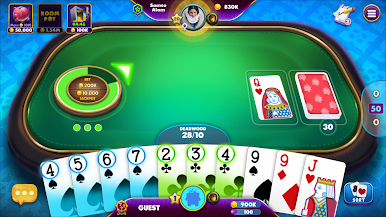






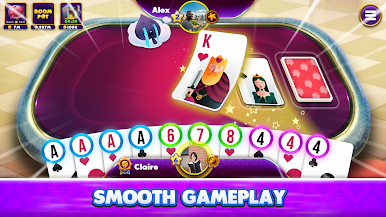

Play Gin Rummy - Online Card Games on PC. It’s easy to get started.
-
Download and install BlueStacks on your PC
-
Complete Google sign-in to access the Play Store, or do it later
-
Look for Gin Rummy - Online Card Games in the search bar at the top right corner
-
Click to install Gin Rummy - Online Card Games from the search results
-
Complete Google sign-in (if you skipped step 2) to install Gin Rummy - Online Card Games
-
Click the Gin Rummy - Online Card Games icon on the home screen to start playing

