


Shoot & Hide
Play on PC with BlueStacks – the Android Gaming Platform, trusted by 500M+ gamers.

Page Modified on: Sep 21, 2026
Main Shoot & Hide on PC
This is not about running through maps. It’s about perfect timing, quick decisions, and knowing when to act.
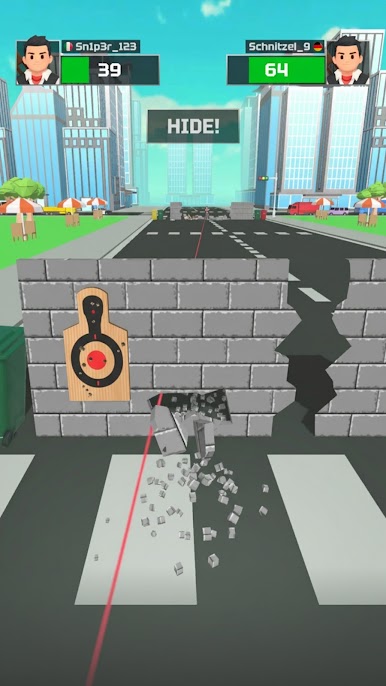
🎯 TAKE TURNS: SHOOT OR HIDE
Step out of cover to attack — but stay too long and you’re done.
Enemies react fast, so you must shoot, then instantly hide to survive.
⚡ TIMING IS EVERYTHING
Each moment matters.
Wait for the right opening, take the shot, and return to safety before enemies strike back.
💥 SATISFYING SHOTS & IMPACT
Land precise hits with clear, rewarding feedback.
Explosions, reactions, and clean visuals make every successful move feel great.
🧠 SIMPLE CONTROLS, SKILL-BASED GAMEPLAY
Easy to pick up, but challenging to master.
The better your timing and decision-making, the further you go.
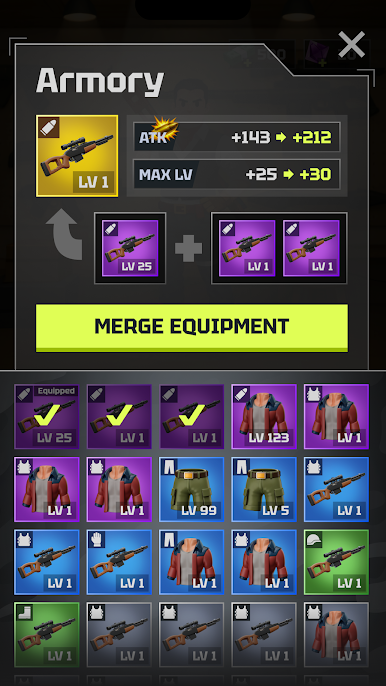
🔓 UNLOCK & UPGRADE
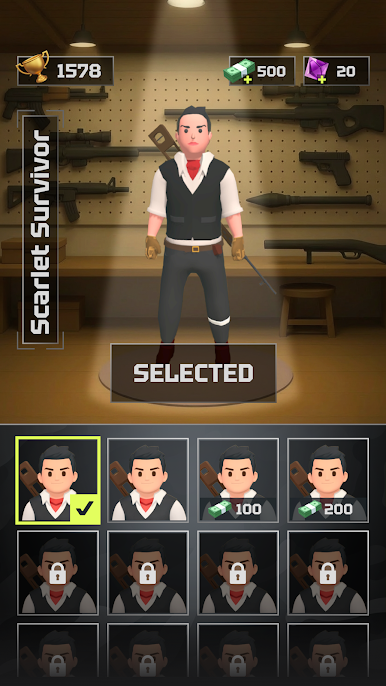
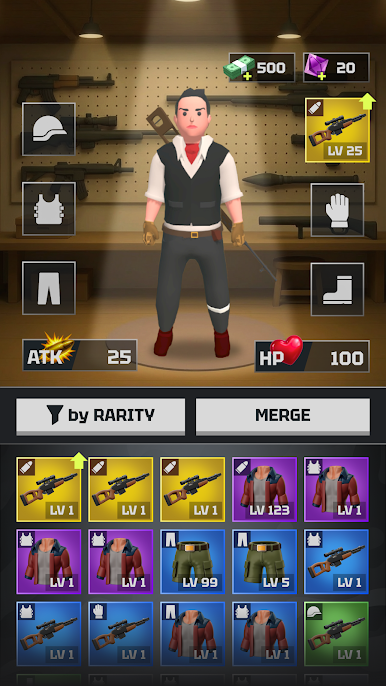
Progress through levels to unlock new weapons, gear, and characters.
Improve your setup and handle tougher challenges with better tools.
🧩 INCREASING CHALLENGE
Face smarter enemies and tighter timing windows.
Each level pushes your reflexes and decision-making further.
🎮 FEATURES
Unique shoot-and-hide gameplay
Timing-based action and reflex challenges
Simple tap controls
Weapon and gear upgrades
Character customization
Short, engaging levels
Play anytime, anywhere
🚀 WHY PLAY SHOOT & HIDE
If you enjoy reflex games, timing games, and hyper-casual challenges, Shoot & Hide delivers a simple but tense experience where every move matters.
Step out. Take the shot. Get back to cover.
To opt out of CrazyLabs sales of personal information as a California resident, please visit the settings page within this app. For more information visit our privacy policy: https://crazylabs.com/app
Play Shoot & Hide on PC. It’s easy to get started.
-
Download and install BlueStacks on your PC
-
Complete Google sign-in to access the Play Store, or do it later
-
Look for Shoot & Hide in the search bar at the top right corner
-
Click to install Shoot & Hide from the search results
-
Complete Google sign-in (if you skipped step 2) to install Shoot & Hide
-
Click the Shoot & Hide icon on the home screen to start playing

