


Jackpot 8 Line Slots
Play on PC with BlueStacks – the Android Gaming Platform, trusted by 500M+ gamers.

Page Modified on: Jun 28, 2026
Play Jackpot 8 Line Slots on PC
◎This game does not offer 'real money' gambling or an opportunity to win real money or prizes.
◎Practice or success at this game does not imply future success at 'real money' gambling.
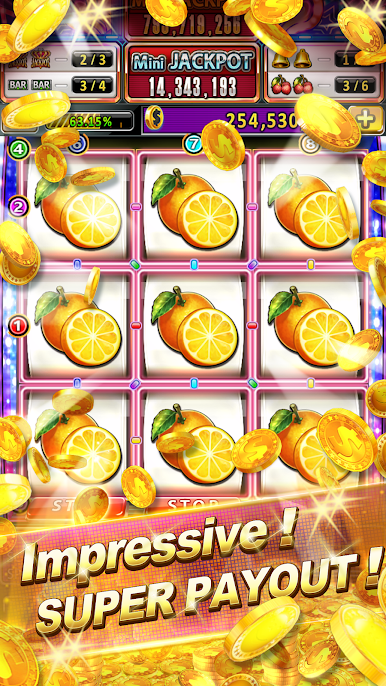
A nostalgic fruit game is back with a bang, bringing back the feel of yesteryear!
Classic bar, bell, and watermelon, original sounds reproduced!
100% recreating the feel of a childhood corner store!
Daily rewards, ranking bonuses, friend bonuses, and more for consecutive logins!
Automatic machine access, exclusive lucky machine access without sharing!
Fight for daily ranking . Top our Leaderboard!
Come and get your Daily Bonus, log in every day to claim more!
Don't worry, you can reserve any lucky seat at any time!
If you have any questions, comments, or feedback, you can contact us via fanpage
Fan Page :
https://www.facebook.com/jackpot8lineeng
If you are using the App on an Android device, you acknowledge that you have read, understood, and agree to the following Terms of service and Privacy policy.
◎Terms of Service:
https://www.ironbear.co/jackpot8line/home/terms.php?lang=en&terms=termsofservice
◎Privacy Policy:
https://www.ironbear.co/jackpot8line/home/terms.php?lang=en&terms=privacypolicy






Play Jackpot 8 Line Slots on PC. It’s easy to get started.
-
Download and install BlueStacks on your PC
-
Complete Google sign-in to access the Play Store, or do it later
-
Look for Jackpot 8 Line Slots in the search bar at the top right corner
-
Click to install Jackpot 8 Line Slots from the search results
-
Complete Google sign-in (if you skipped step 2) to install Jackpot 8 Line Slots
-
Click the Jackpot 8 Line Slots icon on the home screen to start playing

