


City Island 5 - Building Sim
Play on PC with BlueStacks – the Android Gaming Platform, trusted by 500M+ gamers.

Page Modified on: Sep 13, 2026
Play City Island 5 - Building Sim on PC or Mac
Step into the World of City Island 5 – Building Sim, a thrilling Simulation game from the house of Sparkling Society – Build Town City Building Games. Play this Android game on BlueStacks App Player and experience immersive gaming on PC or Mac.
About the Game
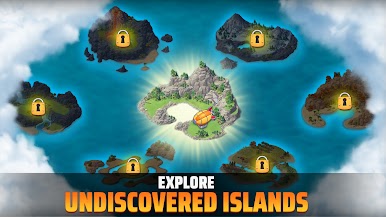
City Island 5 – Building Sim hands you the mayor’s seat and a handful of islands to turn into a bustling network of cities. Start small, then branch out across new locations with their own look and feel, from cozy shores to rugged terrain. It’s a relaxed, creative Simulation where you place buildings, chase quests, and watch neighborhoods come to life—online or offline, at your pace.
Game Features
- Multi-island expansion: Unlock and settle fresh islands, each with distinct themes and layouts that nudge you to plan differently every time.
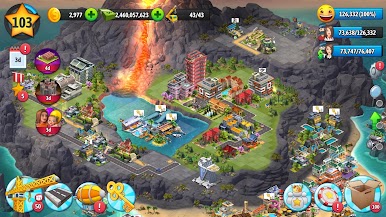
- Build your way: Choose from hundreds of homes, shops, landmarks, and decorations to shape districts that feel lived-in and unique.
- Rewarding progression: Complete quests and milestones to earn treasure chests and handy resources that push your city forward.
- Play anytime: No connection? No problem. Tinker with layouts, collect income, and make upgrades offline.
- Smart city management: Collect, upgrade, and optimize your build chains; balance space, style, and income without heavy micromanagement.
- City sightseeing: Visit other players’ creations for ideas and show off your own growing skyline.
- Deep customization: Line avenues with trees, park benches, and waterfront paths; fine-tune placements until the whole place clicks.
- Relaxed Simulation vibe: Grow at a comfortable pace—experiment, reshuffle, and keep improving without pressure.
- Smooth on PC with BlueStacks: Managing multiple islands and big build menus with a mouse and keyboard feels natural and tidy.
Ready to top the leaderboard? We bet you do. Let precise controls and sharp visuals optimized on BlueStacks lead you to victory.















Play City Island 5 - Building Sim on PC. It’s easy to get started.
-
Download and install BlueStacks on your PC
-
Complete Google sign-in to access the Play Store, or do it later
-
Look for City Island 5 - Building Sim in the search bar at the top right corner
-
Click to install City Island 5 - Building Sim from the search results
-
Complete Google sign-in (if you skipped step 2) to install City Island 5 - Building Sim
-
Click the City Island 5 - Building Sim icon on the home screen to start playing

