


Classic Card: Spider Solitaire
Play on PC with BlueStacks – the Android Gaming Platform, trusted by 500M+ gamers.

Page Modified on: Mar 8, 2026
Play Classic Card: Spider Solitaire on PC
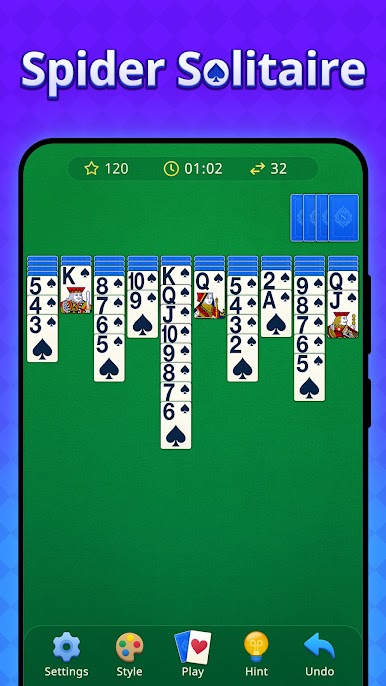
As one of the most popular classic card games in the world, this Spider Solitaire app stays true to the original engaging gameplay you love. Spider Solitaire consists of 2 decks of cards, offering a deeper strategy challenge than other Solitaire favorites. Whether you are a fan of the classic Spider Solitaire rules or looking for a fresh offline card game to master, this classic Spider Solitaire puzzle delivers the ultimate Spider Solitaire card game experience.
✨ Why Choose this Spider Solitaire ?
👑 Classic Spider Solitaire Card Game
♠️ Big Cards, Easy on the Eyes
🌊 Relaxing & Stress-Free: Winnable Deals
🧠 Train Your Brain: 1-Suit to 4-Suit Modes
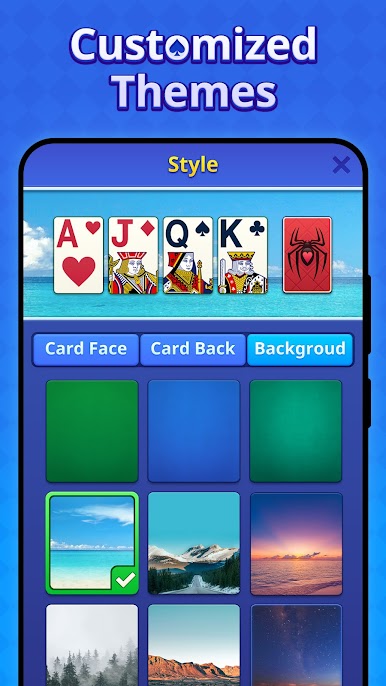
🎨 Custom Themes & Winning Animations
👆 Smooth Gameplay: Tap or Drag (Left-Handed Support)
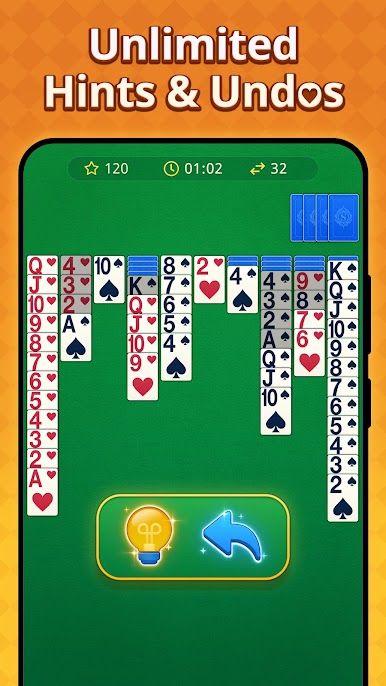
💡 Unlimited Hints & Undos
✈️ Offline: Play Anytime and Anywhere
📜 How to Play
🕸️ Stack cards in descending order from King to Ace
♥️ Build full sequences of the same suit to clear them
🎉 Empty the table to win!
If you enjoy playing classic card puzzles like Solitaire (Patience), FreeCell, Pyramid, Tripeaks Solitaire, Spades, or Hearts, you will absolutely love this logic game! Whether you are already a master or a beginner at card puzzles, you’ll feel right at home with our Classic Spider Solitaire Game.
Download now and start your relaxing journey! This classic card game is perfect for seniors looking to stay sharp and enjoy a daily brain workout. Share with friends to see who can achieve the highest score!
💌Contact us
Contact Phone Number: +447740173997
Contact us via zenecho.customerservice@outlook.com
Privacy Policy: https://sites.google.com/view/pp-of-zenechostudio/
Terms of Service: https://sites.google.com/view/eula-of-zenechostudio/home


Play Classic Card: Spider Solitaire on PC. It’s easy to get started.
-
Download and install BlueStacks on your PC
-
Complete Google sign-in to access the Play Store, or do it later
-
Look for Classic Card: Spider Solitaire in the search bar at the top right corner
-
Click to install Classic Card: Spider Solitaire from the search results
-
Complete Google sign-in (if you skipped step 2) to install Classic Card: Spider Solitaire
-
Click the Classic Card: Spider Solitaire icon on the home screen to start playing

