

Classic Card: Spider Solitaire
Play on PC with BlueStacks – the Android Gaming Platform, trusted by 500M+ gamers.

Page Modified on: Mar 8, 2026
Play Classic Card: Spider Solitaire on PC or Mac
Step into the World of Classic Card: Spider Solitaire, a thrilling Card game from the house of ZenEcho Studio. Play this Android game on BlueStacks App Player and experience immersive gaming on PC or Mac.
About the Game
Classic Card: Spider Solitaire from ZenEcho Studio keeps the classic Card puzzle you know and love feeling fresh and relaxing. It’s the same satisfying routine—stack, sort, clear—wrapped in smooth controls and clean visuals that are easy on the eyes. Whether you’ve got a few spare minutes or want a longer brain teaser, it fits your day without stress.
Game Features
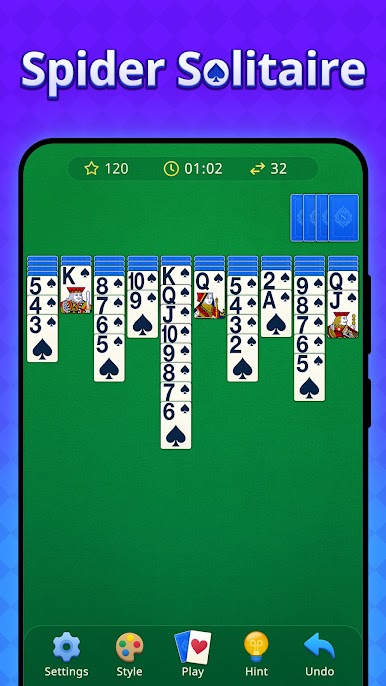
- Authentic Spider gameplay: Play with two full decks and build sequences from King down to Ace, clearing suits as you go.
- Choose your challenge: Pick 1, 2, 3, or 4 suits to match your mood—casual warm-up or full-on strategic workout.
- Easy-to-read cards: Big, high-contrast cards and tidy layouts keep things comfortable, even during longer sessions.
- Smooth controls: Tap for quick moves or drag for precision, with a left-handed option that feels natural right away.
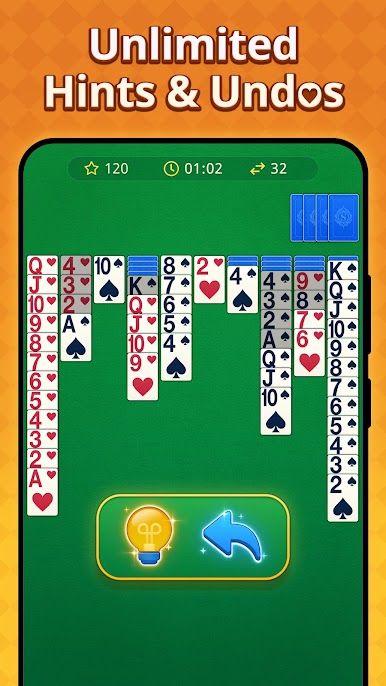
- Helpful tools: Unlimited hints and undos let you experiment and learn without pressure.
- Relaxing, winnable deals: Prefer a calmer pace? Select winnable setups for a stress-free solve.
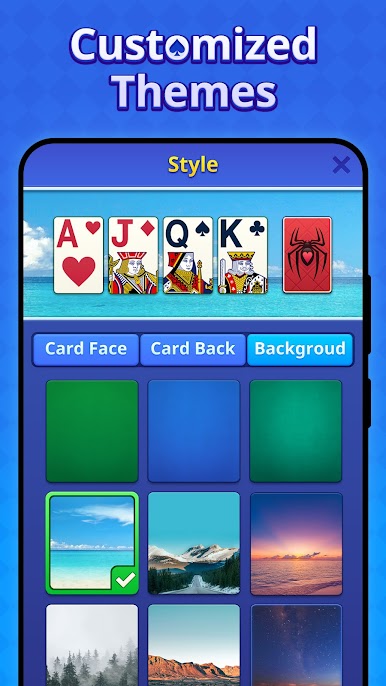
- Custom looks: Switch themes, card backs, and enjoy satisfying win animations when you clear the table.
- Offline play: No connection needed—perfect for commutes, flights, or a quiet break at home.
- Score chasers welcome: Try to beat your best results and compare scores with friends who love classic card puzzles.
- PC-friendly option: If you like playing on a bigger screen, Classic Card: Spider Solitaire also feels great with mouse controls on BlueStacks.
Ready to top the leaderboard? We bet you do. Let precise controls and sharp visuals optimized on BlueStacks lead you to victory.


Play Classic Card: Spider Solitaire on PC. It’s easy to get started.
-
Download and install BlueStacks on your PC
-
Complete Google sign-in to access the Play Store, or do it later
-
Look for Classic Card: Spider Solitaire in the search bar at the top right corner
-
Click to install Classic Card: Spider Solitaire from the search results
-
Complete Google sign-in (if you skipped step 2) to install Classic Card: Spider Solitaire
-
Click the Classic Card: Spider Solitaire icon on the home screen to start playing

