


Stickman Legends Go
Play on PC with BlueStacks – the Android Gaming Platform, trusted by 500M+ gamers.

Page Modified on: Apr 9, 2026
Play Stickman Legends Go on PC or Mac
Join millions to experience Stickman Legends Go, an exciting Action game from Pen-Tool. With BlueStacks App Player, you are always a step ahead of your opponent, ready to outplay them with faster gameplay and better control with the mouse and keyboard on your PC or Mac.
About the Game
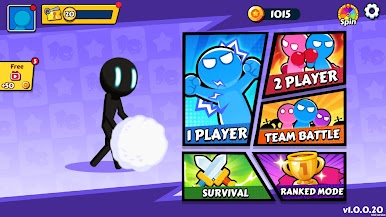
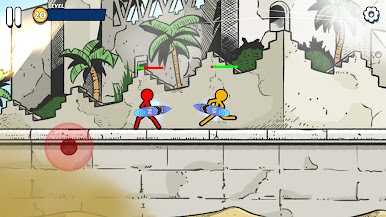
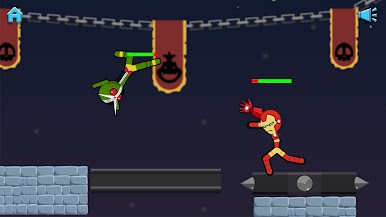
Stickman Legends Go is a wild, fast-hitting Action brawler from Pen-Tool where stick figures do anything but play nice. It’s quick to learn, chaotic in the best way, and surprisingly tactical once the fists (and rockets… and hammers) start flying. Jump in solo, square up with friends on one device, or scrap with real players online—your call.
If you like couch chaos, it’s got you. Prefer ranked bragging rights? That’s here too. And if you’d rather play on a bigger screen with keyboard controls, it runs smoothly on BlueStacks.
Game Features
- Modes for every mood: Swap between Classic matches, bite-sized Adventure stages, WiFi-Mode for nearby play, Online Mode for real-time brawls, and Ranking Battle when you’re feeling competitive.
- Real-time multiplayer: Match up with players around the world and throw down in quick, high-energy fights that reward timing and smart movement.
- Local party play (2–4 players): Pass the device and turn any hangout into a mini tournament. Simple controls keep it friendly; the physics-fueled chaos keeps it hilarious.
- Pick your stick hero: Mix and match quirky skins—shadowy warriors, meme-y fits, emoji looks—and show up with a style that’s unmistakably yours.
- Weapons and boosters galore: Grab everything from blunt smackers to over-the-top gadgets. Stack boosters to push your build and surprise opponents mid-match.
- Snappy 2D physics: Rag-doll tumbles, crunchy impacts, and jump arcs that feel right make every hit satisfying and every comeback possible.
- Easy to play, skill to master: Tap to move, strike, and launch—then learn spacing, momentum, and weapon timing to consistently win duels.
- Clean look, punchy audio: Bold visuals and punchy sound effects make every clash feel crisp, whether you’re grinding wins or messing around with friends.
Start your journey now. Download the game on BlueStacks, invite your friends, and march on a new adventure.


Play Stickman Legends Go on PC. It’s easy to get started.
-
Download and install BlueStacks on your PC
-
Complete Google sign-in to access the Play Store, or do it later
-
Look for Stickman Legends Go in the search bar at the top right corner
-
Click to install Stickman Legends Go from the search results
-
Complete Google sign-in (if you skipped step 2) to install Stickman Legends Go
-
Click the Stickman Legends Go icon on the home screen to start playing

