


Car Driving City: StreetPro
Play on PC with BlueStacks – the Android Gaming Platform, trusted by 500M+ gamers.

Page Modified on: Apr 21, 2026
Play Car Driving City: StreetPro on PC
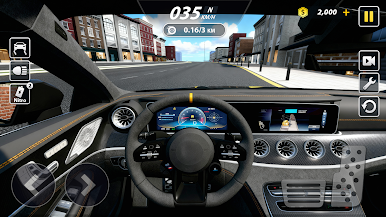
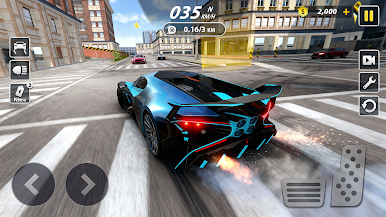
Upgrade & Restore: Bring your cars back to glory in the Legends workshop and build for speed.
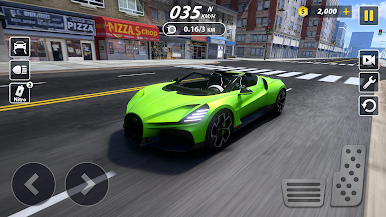
Customize Your Garage: Collect iconic supercars and tune them to match your racing style.
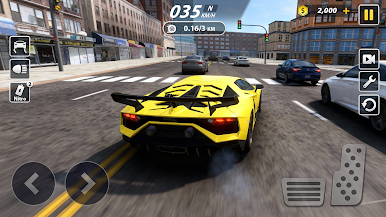
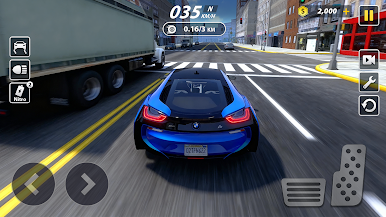
Open-City Driving: Tear up the roads with modern, fast cars—day or night.
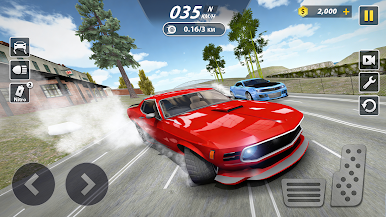
Drift Like a Pro: Learn real drifting control with oversteer and counter-steering.
Unlimited Tuning: Personalize paint, nitro, wheels, brake calipers, turbo, and more to create a true street rebel—or a fun ride.
Offline Play: Enjoy racing anywhere and master lightning-fast 9-second runs.
Burn the asphalt, build your dream car, and challenge players worldwide in a fast, furious street-racing experience.
Play Car Driving City: StreetPro on PC. It’s easy to get started.
-
Download and install BlueStacks on your PC
-
Complete Google sign-in to access the Play Store, or do it later
-
Look for Car Driving City: StreetPro in the search bar at the top right corner
-
Click to install Car Driving City: StreetPro from the search results
-
Complete Google sign-in (if you skipped step 2) to install Car Driving City: StreetPro
-
Click the Car Driving City: StreetPro icon on the home screen to start playing

