


Surreal Jigsaw Puzzles Games
Play on PC with BlueStacks – the Android Gaming Platform, trusted by 500M+ gamers.

Page Modified on: Mar 4, 2026
Play Surreal Jigsaw Puzzles Games on PC or Mac
Explore a whole new adventure with Surreal Jigsaw Puzzles Games, a Puzzle game created by LoveColoring Game. Experience great gameplay with BlueStacks, the most popular gaming platform to play Android games on your PC or Mac.
About the Game
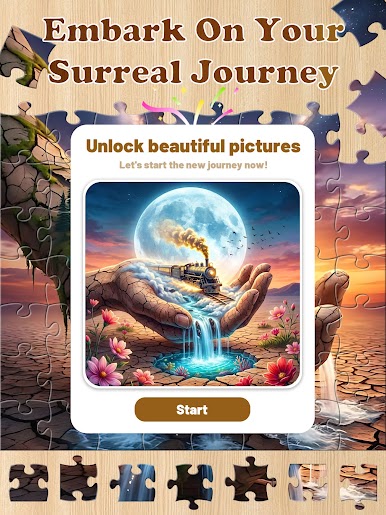
Surreal Jigsaw Puzzles Games from LoveColoring Game takes the classic jigsaw and gives it a strange, beautiful twist. Instead of predictable landscapes, you’re piecing together vivid, dreamlike scenes that feel more like pages from an art book than a typical Puzzle game. It’s calm, creative, and a little haunting in the best way—perfect for when you want quiet focus without any pressure.
Game Features
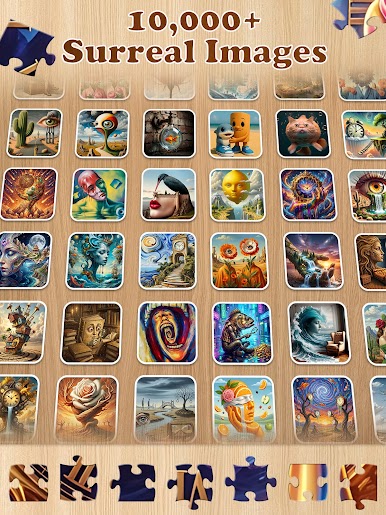
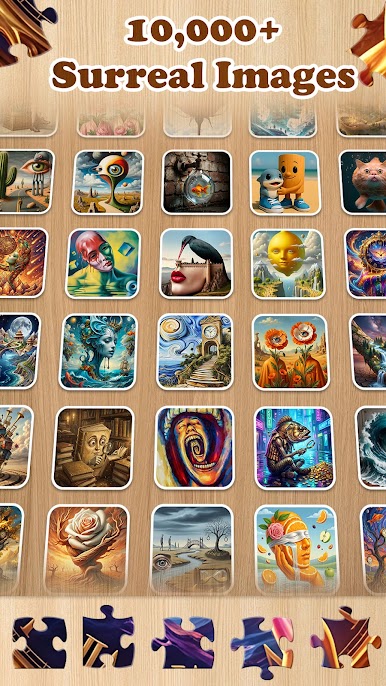
- Surreal imagery: Build scenes where cities bend, time stretches, and forests float—bold, moody visuals that keep you curious as the picture comes together.
- Thoughtful themes: Symbolic spaces hint at feelings like solitude, memory, and tension, giving each puzzle a story to read between the lines.
- Relax-first play: No timers and no score chasing. Step away anytime and pick up right where you left off with automatic saving.
- Difficulty your way: Choose from multiple challenge levels so you can unwind with a breezy build or settle in for something more involved.
- Smooth piece handling: Precise, responsive controls make placing pieces feel clean and satisfying, not fiddly.
- Gallery-quality art: Crisp, high-resolution artwork ensures every color pop and tiny detail feels worth finishing.
- Save and share: Turn completed puzzles into keepsakes you can post to your socials or keep as your own little art collection.
- Subtle PC option: Prefer a bigger workspace? It runs nicely on BlueStacks for a roomy, desk-friendly setup.
Make your gaming sessions memorable with precise controls that give you an edge in close combats and visuals that pop up, bringing every character to life.













Play Surreal Jigsaw Puzzles Games on PC. It’s easy to get started.
-
Download and install BlueStacks on your PC
-
Complete Google sign-in to access the Play Store, or do it later
-
Look for Surreal Jigsaw Puzzles Games in the search bar at the top right corner
-
Click to install Surreal Jigsaw Puzzles Games from the search results
-
Complete Google sign-in (if you skipped step 2) to install Surreal Jigsaw Puzzles Games
-
Click the Surreal Jigsaw Puzzles Games icon on the home screen to start playing

