


Soccer Football Game 2026
Play on PC with BlueStacks – the Android Gaming Platform, trusted by 500M+ gamers.

Page Modified on: Jul 3, 2026
Play Soccer Football Game 2026 on PC
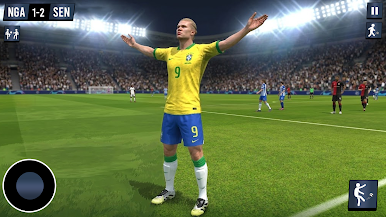
Step onto the field and enjoy realistic gameplay, smooth controls, and immersive stadium environments. Whether you’re a casual player or a hardcore football fan, this game offers everything you need to enjoy the world of soccer anytime, anywhere.
Features of Soccer Football Game:
-Realistic Football Gameplay
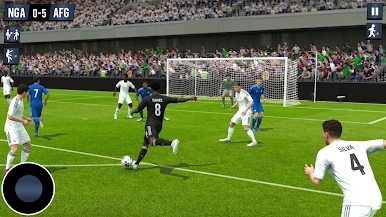
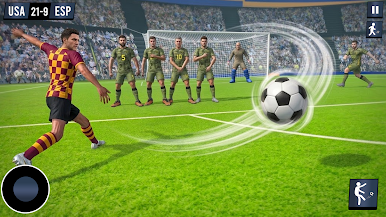
Enjoy smooth controls, lifelike player movements, and realistic ball physics for an authentic soccer experience.
-Multiple Game Modes
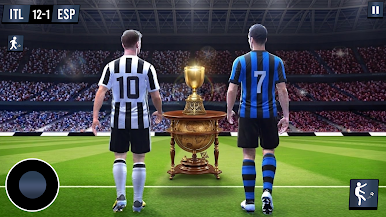
Play quick matches, tournaments, and challenges to test your football skills and become a champion.
-Team Selection & Customization
Choose your favorite team, customize players, and build your dream football squad.
-Score Amazing Goals
Dribble, pass, and shoot your way to victory with powerful strikes and perfect timing.
-Immersive Stadiums
Play in beautifully designed stadiums with cheering crowds and realistic match atmosphere.
-Offline Gameplay
Enjoy the game anytime without internet connection.
-Easy Controls & Smooth Performance
User-friendly controls make it easy to play while delivering high-quality performance on all devices.
If you love soccer games, football games 2026, offline football games, or sports simulation games, then Soccer Football Game 2026 is the perfect game for you.
Download now and become the ultimate football game champion!

Play Soccer Football Game 2026 on PC. It’s easy to get started.
-
Download and install BlueStacks on your PC
-
Complete Google sign-in to access the Play Store, or do it later
-
Look for Soccer Football Game 2026 in the search bar at the top right corner
-
Click to install Soccer Football Game 2026 from the search results
-
Complete Google sign-in (if you skipped step 2) to install Soccer Football Game 2026
-
Click the Soccer Football Game 2026 icon on the home screen to start playing

