


Crossfire: Legends
Play on PC with BlueStacks – the Android Gaming Platform, trusted by 500M+ gamers.

Page Modified on: Jun 24, 2026
Play CrossFire: Legends on PC or Mac
Crossfire: Legends by Level Infinite has plenty to keep you busy. BlueStacks lets you play it on PC or Mac with more screen space, better control, and fewer mobile limits.
About the Game
Crossfire: Legends is a fast, punchy Action shooter built for quick matches and big tactics. Jump into classic firefights or try fresh twists on competitive play, then swap over to co-op runs when you want to team up and clear stages together. It’s easy to get into, but there’s plenty of depth once you start mastering maps, gadgets, and your favorite loadouts.
Game Features
-
Signature Ghost Mode: One side sneaks in with melee-only stealth while the other team tracks them using sound and keen map awareness. Stand still to stay hidden, move smart, and use audio cues to flip the round in your favor.
-
Co-op PVE – Biohazard: Squad up for a staged PvE map that ramps up the pressure with waves of threats and a climactic boss fight. It’s perfect for sharpening teamwork and testing new gear.
-
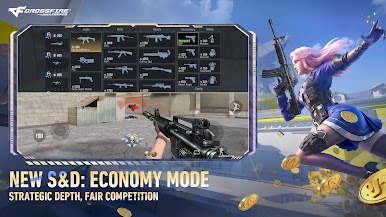
Fast, Tactical Gunplay: Snappy movement, clean shooting, and a wide weapon pool—rifles, pistols, melee, and more—let you tailor your playstyle. Every choice matters, from your primary to your throwables.
-
Rotating Playlists: Classic modes return alongside regularly added twists, keeping matchups fresh whether you’re in Ranked or blowing off steam in Arcade.
-
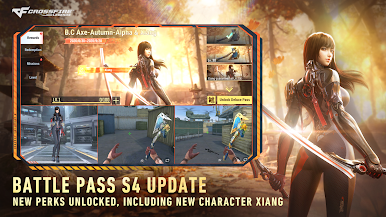
Seasonal Battle Pass: Knock out in-game missions to earn pass progress and unlock a spread of cosmetics, weapon skins, and standout character options as you play.
-
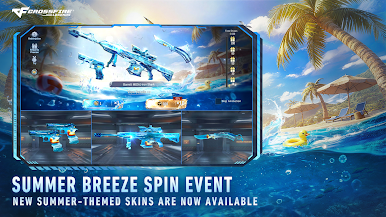
Standout Weapon Variants: Chase distinctive looks and tuned performance across modes, with highlights like M4A1-S Steel Empire, AK47-Predator, Dual Steyr TMP Death Eye, or swift Keris-Earl builds.
-
Play Your Way: On the go with touch controls or on PC with BlueStacks if you’re into a mouse-and-keyboard feel—either way, quick cues and responsive aiming keep the action tight.
Start your journey now. Download the game on BlueStacks, invite your friends, and march on a new adventure.


Play Crossfire: Legends on PC. It’s easy to get started.
-
Download and install BlueStacks on your PC
-
Complete Google sign-in to access the Play Store, or do it later
-
Look for Crossfire: Legends in the search bar at the top right corner
-
Click to install Crossfire: Legends from the search results
-
Complete Google sign-in (if you skipped step 2) to install Crossfire: Legends
-
Click the Crossfire: Legends icon on the home screen to start playing

