


HulaVPN - Fast Secure VPN
Play on PC with BlueStacks – the Android Gaming Platform, trusted by 500M+ gamers.

Page Modified on: Nov 27, 2025
Play HulaVPN - Fast Secure VPN on PC
Unlock the power of HulaVPN, the world's most trusted VPN app, and experience the ultimate online freedom and protection.
Why Choose HulaVPN?
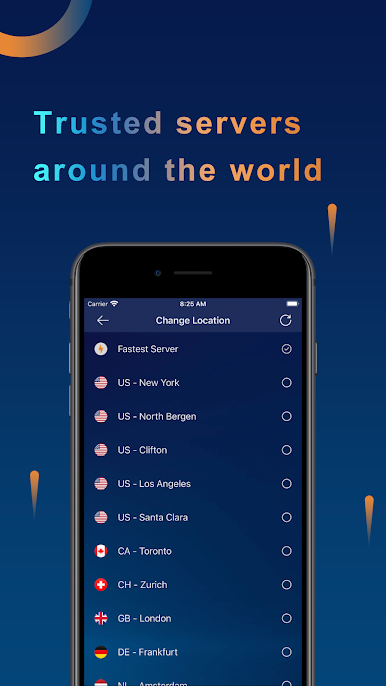
* Unleash Unstoppable Speed: Say goodbye to buffering and lag with our lightning-fast VPN servers strategically located worldwide.
* Hello, Unrestricted Entertainment: Stream your favorite shows, movies, and games seamlessly without geo-restrictions.
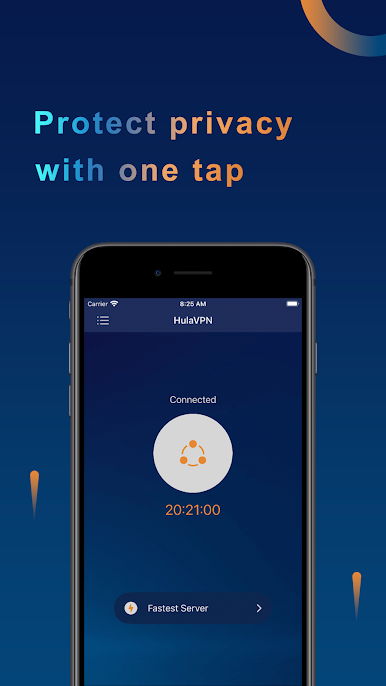
* Protect Your Digital Footprint: Browse the web with confidence, knowing that your privacy is safeguarded by our impenetrable encryption.
* Virtual Location Magic: Change your virtual location with ease, shielding your IP address from prying eyes.
Your Online Sanctuary
HulaVPN is your digital fortress, protecting you from cyber threats and ensuring your online activities remain private.
* Secure Browsing: Establish a secure tunnel between your device and our VPN servers, encrypting all your internet traffic.
* No Logs Policy: Rest assured that your browsing history and personal data remain confidential. We strictly adhere to our no-logs policy.
Hello, Limitless Possibilities
With HulaVPN, the world is your oyster:
* Unlock Global Content: Access websites and streaming services that are unavailable in your region.
* Bypass Censorship: Break free from internet restrictions and explore the full potential of the web.
* Enhance Gaming Experience: Reduce latency and optimize your gaming performance by connecting to our dedicated gaming servers.
Join the HulaVPN Revolution Today!
Download HulaVPN now and experience the unparalleled speed, security, and freedom that only the world's most trusted VPN app can provide.
Terms of Service: https://www.hulalink.com/term.html
Privacy Policy: https://www.hulalink.com/policy.html
Play HulaVPN - Fast Secure VPN on PC. It’s easy to get started.
-
Download and install BlueStacks on your PC
-
Complete Google sign-in to access the Play Store, or do it later
-
Look for HulaVPN - Fast Secure VPN in the search bar at the top right corner
-
Click to install HulaVPN - Fast Secure VPN from the search results
-
Complete Google sign-in (if you skipped step 2) to install HulaVPN - Fast Secure VPN
-
Click the HulaVPN - Fast Secure VPN icon on the home screen to start playing

