


Ti.Live-Chill & Stream
Play on PC with BlueStacks – the Android Gaming Platform, trusted by 500M+ gamers.

Page Modified on: Sep 28, 2026
Main Ti.Live-Chill & Stream on PC
Ti.Live is a global social entertainment platform dedicated to providing high-quality live broadcast content and rich social interaction experience to global users. Whether you are a stage rookie, a fashionista or a game master, you can find your own stage here, interact with users around the world in real time, share happiness and show off your talents!
Why Ti.Live?
Global live broadcast
Interact with millions of users around the world in real time, experience exciting live broadcast content from all over the world, and explore different cultural customs.
Personalized recommendations
Recommend personalized live content and streamers based on users’ interests and preferences.
Diversified content
Covering dance, music, fashion, beauty, games and other fields to meet the diverse entertainment needs of users.
Real-time interaction
Supports real-time barrages, likes, gifts and other interactive functions, allowing users to interact with streamers at close range and enjoy live broadcasts together.
New experience
Provides high-definition and smooth live broadcast images and clear sound effects, bringing users an immersive viewing experience.
Social functions
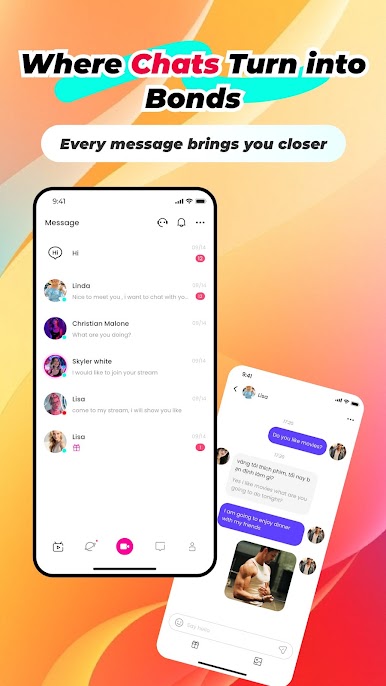
Support social functions such as private messages, follow-ups, and fan interactions between users to create a vibrant and friendly community.
Supports multiple languages and real-time translation
We support English, Filipino,Vietnamese,Hindi,Pakistani and more!
No need to worry about language barriers, the real-time translation function helps you communicate without barriers.
Join Ti.Live now! Download the app to start your new adventure and unlock a world of social connections!



Play Ti.Live-Chill & Stream on PC. It’s easy to get started.
-
Download and install BlueStacks on your PC
-
Complete Google sign-in to access the Play Store, or do it later
-
Look for Ti.Live-Chill & Stream in the search bar at the top right corner
-
Click to install Ti.Live-Chill & Stream from the search results
-
Complete Google sign-in (if you skipped step 2) to install Ti.Live-Chill & Stream
-
Click the Ti.Live-Chill & Stream icon on the home screen to start playing

