


Battery Monitor Pro
Play on PC with BlueStacks – the Android Gaming Platform, trusted by 500M+ gamers.

Page Modified on: Dec 6, 2025
Play Battery Monitor Pro on PC
You can see how much your battery is draining during playing game or using any other apps.
This is the paid version of Battery Charging Monitor which is totally ads free. All features are FREE!
🏆 PRO EXCLUSIVE FEATURES:
Extended Graph Timeframes:
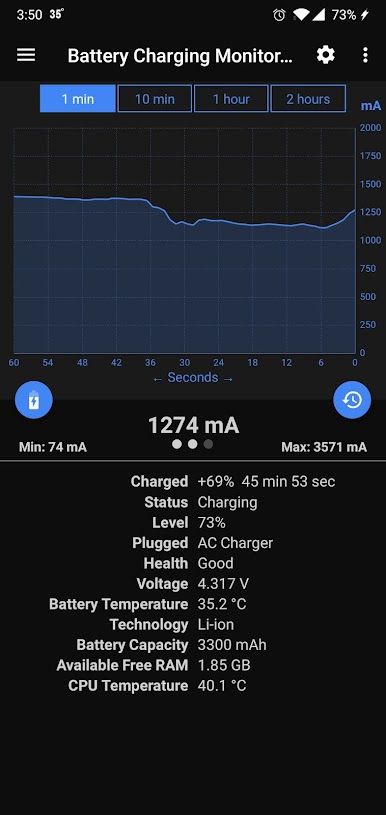
➤1 minute graph view
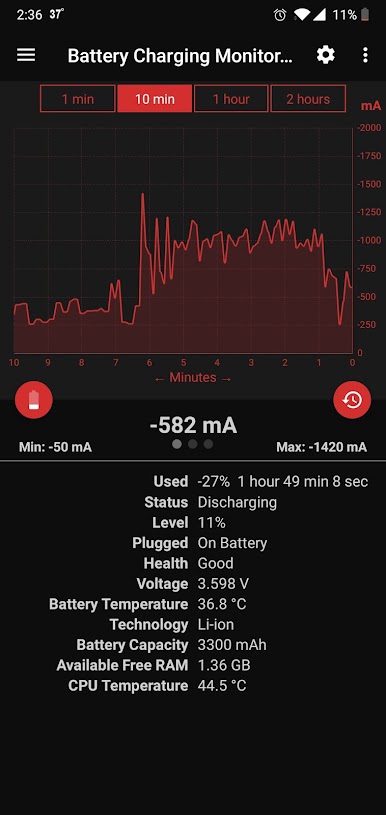
➤10 minutes graph view
➤1 HOUR graph view (PRO ONLY - Not available in free version)
➤2 HOURS graph view (PRO ONLY - Not available in free version)
■Blue color means charging.
■Red color means discharging.
🚫 No Advertisements:
➤Completely ad-free experience
➤Clean interface without interruptions
➤All features unlocked and FREE
Home Page Features:
Real-time Monitoring:
➤Real-time battery charging or discharging rate.
■Positive value means charging.
■Negative value means discharging.
➤Graphical view of charging or discharging rate (1 min, 10 min, 1 hour, 2 hours).
■Blue color means charging.
■Red color means discharging.
➤How much battery has been charged or used (discharged).
■Positive value means charging.
■Negative value means used (discharged).
➤Time passed since charging or discharging has started.
Battery Information:
➤Current battery status
➤Current battery level
➤Current battery health
➤Current battery voltage
➤Current battery temperature
➤Battery technology
➤Battery capacity
System Information:
➤Available free RAM
➤Current CPU temperature
📊 Charging History:
➤View detailed charging/discharging history
➤Track sessions with start time, end time, duration, and level changes
📱 Real-time Notification Bar:
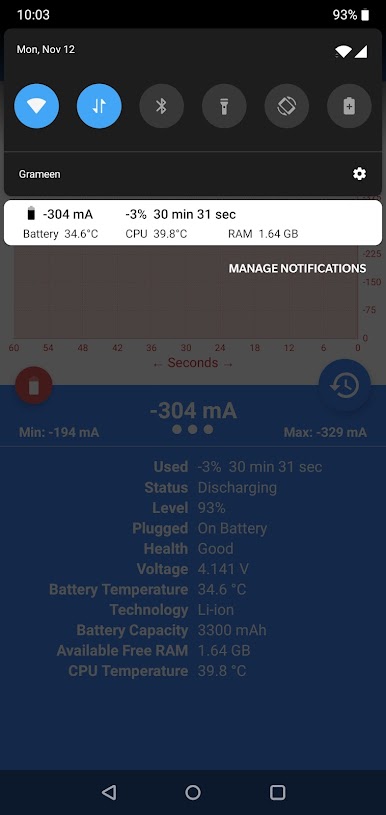
➤Most of the home page features support in the notification bar.
⚙️ Settings & Customization:
➤Light/Dark/System theme
➤Temperature unit (Celsius/Fahrenheit)
➤Notification importance levels
➤Status bar temperature display (Battery/CPU)
🔧 Data Management:
➤Reset Data: Press the refresh button on the home screen
➤Delete History: Go to Settings → Delete History
📚 Additional Features:
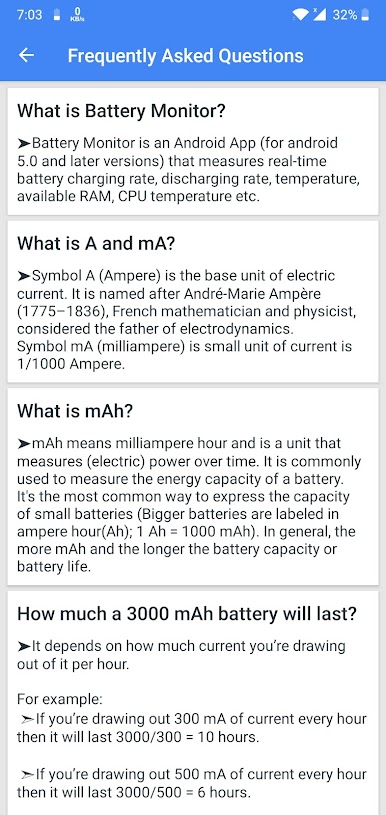
➤FAQ section with battery education
➤Plug type detection (AC/USB/Wireless)
➤Auto-restart after device reboot
➤Works offline (no internet required for monitoring)
✅ App Information:
➤Android 9.0 and above
➤One-time purchase (no subscriptions)
➤No ads, totally ads free
➤Privacy-focused (battery data stays on your device)
➤All features FREE
🎯 Why Choose Pro Version?
Battery Charging Monitor Pro gives you extended 1-hour and 2-hour graph views that are not available in the free version. Perfect for users who want to monitor longer charging sessions without advertisements.
Install Battery Charging Monitor Pro and enjoy ads free battery monitoring with extended graph views!
Contact: tofa.du@gmail.com
Play Battery Monitor Pro on PC. It’s easy to get started.
-
Download and install BlueStacks on your PC
-
Complete Google sign-in to access the Play Store, or do it later
-
Look for Battery Monitor Pro in the search bar at the top right corner
-
Click to install Battery Monitor Pro from the search results
-
Complete Google sign-in (if you skipped step 2) to install Battery Monitor Pro
-
Click the Battery Monitor Pro icon on the home screen to start playing

