


Trees Hate You Mobile
Play on PC with BlueStacks – the Android Gaming Platform, trusted by 500M+ gamers.

Page Modified on: Apr 23, 2026
Play Trees Hate You Mobile on PC or Mac
From the innovators and creators at SPORT DEVELOPMENT LLC, Trees Hate You Mobile is another fun addition to the World of Adventure games. Go beyond your mobile screen and play it bigger and better on your PC or Mac. An immersive experience awaits you.
About the Game
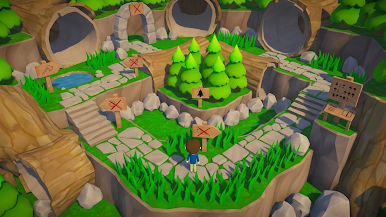
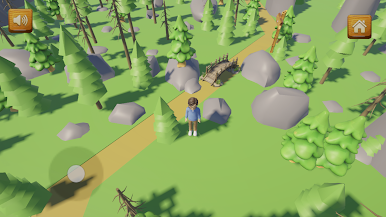
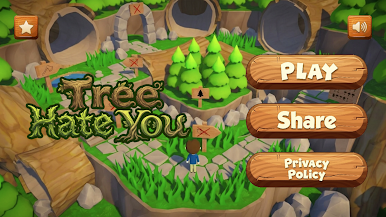
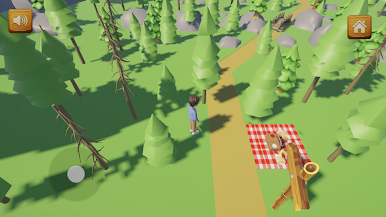
Picnic gone wrong? In Trees Hate You Mobile, the forest would rather trip you than let you stroll out. This Adventure from SPORT DEVELOPMENT LLC turns a quiet woodland into a living gauntlet where the scenery plots against you and every step feels like a small gamble.
Prefer a bigger screen? It also runs smoothly on PC with BlueStacks.
Game Features
- Hostile Forest: The environment isn’t decoration—it fights back. Branches lunge, trunks shift, and the ground can betray you without warning.
- Smart Survival: It’s not about sprinting; it’s about reading the terrain, spotting patterns, and reacting before the forest does.
- Learn and Improve: Remember risky spots, tighten your timing, and push a little farther each attempt as the route starts to click.
- Simple Controls: Clean, intuitive input keeps the focus on awareness and movement rather than wrestling with buttons.
- Rising Challenge: The deeper you go, the trickier it gets—new hazards, tighter windows, and fewer second chances.
- Dynamic Obstacles: Falling debris, sneaky traps, and moving elements keep you guessing from start to finish.
- Built for Mobile: Smooth performance on phones and tablets, so the only jitters come from dodging what’s next.
- Play on PC: Want more room to react? Fire it up on BlueStacks for a wider view and comfy controls.
Make your gaming sessions memorable with precise controls that give you an edge in close combats and visuals that pop up, bringing every character to life.
Play Trees Hate You Mobile on PC. It’s easy to get started.
-
Download and install BlueStacks on your PC
-
Complete Google sign-in to access the Play Store, or do it later
-
Look for Trees Hate You Mobile in the search bar at the top right corner
-
Click to install Trees Hate You Mobile from the search results
-
Complete Google sign-in (if you skipped step 2) to install Trees Hate You Mobile
-
Click the Trees Hate You Mobile icon on the home screen to start playing

