


Cleaning Fever - Hidden Object
Play on PC with BlueStacks – the Android Gaming Platform, trusted by 500M+ gamers.

Page Modified on: Aug 27, 2026
Play Cleaning Fever - Hidden Object on PC
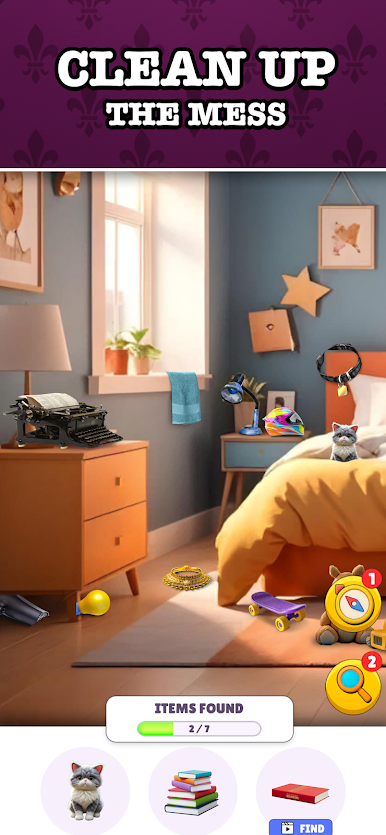
Dive into a world of clutter and chaos! Embrace the challenge of cleaning and decluttering in this immersive hidden object game! Explore a variety of vibrantly designed levels, from messy kitchens to cluttered bedrooms. Simple to play game: You are tasked with certain objects to find. Look around the scene, hunt for them and tap when you spot them.
If you love hidden object games, detective mystery games, scavenger hunts, cleaning games, crime investigations, and puzzle adventures, this game is perfect for you!
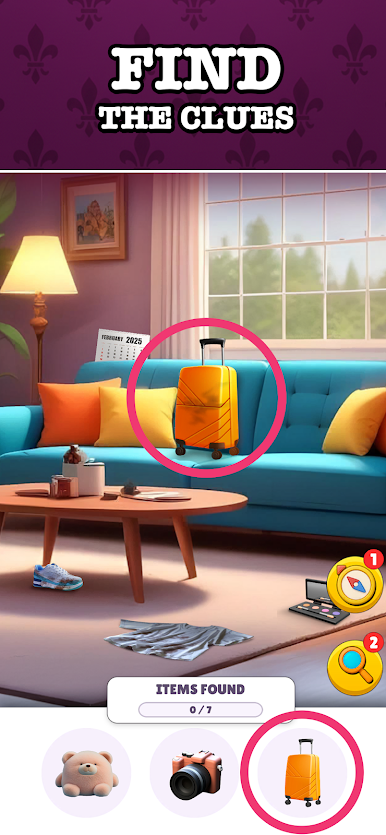
Sharpen your observation skills and detective instincts as you solve hidden object puzzles, uncover secrets, and investigate mysterious locations. Every level brings Claire closer to the truth.
Enjoy a relaxing and rewarding gameplay experience. Bring order to the chaos and transform messy environments into tidy spaces.
Features:
- Story-driven hidden object mystery adventure.
- Solve the mystery of Claire’s missing father.
- Detective investigation gameplay with hidden clues and secrets.
- Tons of challenging levels.
- Explore a wide range of messy locations with unique themes. From messy rooms to beaches, trains, private jets, buses etc. Clean up different places.
- Hidden object fun: Test your detective skills and find cleverly concealed items. This is a scavenger hunt that everyone will enjoy.
- Beautiful graphics: Immerse yourself in vibrant and detailed scenes.
- Relaxing gameplay: Enjoy a calming and satisfying zen-like cleaning experience.
- Play mini-games like Spot The Difference and Jigsaw Puzzles.
- Helpful hints: Use hints to guide you when you get stuck.
- Regular updates: Look forward to new levels and challenges added regularly.
- Great for brain training and memory. Test your eye-sight too!
Download now and become a hidden object cleaning master! Finding objects has never been so much fun!




Play Cleaning Fever - Hidden Object on PC. It’s easy to get started.
-
Download and install BlueStacks on your PC
-
Complete Google sign-in to access the Play Store, or do it later
-
Look for Cleaning Fever - Hidden Object in the search bar at the top right corner
-
Click to install Cleaning Fever - Hidden Object from the search results
-
Complete Google sign-in (if you skipped step 2) to install Cleaning Fever - Hidden Object
-
Click the Cleaning Fever - Hidden Object icon on the home screen to start playing

