


Truck Parking
Play on PC with BlueStacks – the Android Gaming Platform, trusted by 500M+ gamers.

Page Modified on: Feb 14, 2026
Play Truck Parking on PC
REALISTIC PHYSICS
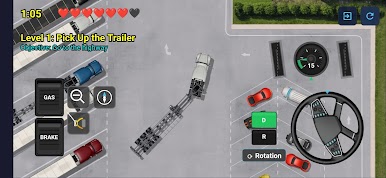
Experience authentic truck and trailer handling with realistic articulation physics. Feel the weight of your rig as you navigate tight spaces and execute precision maneuvers.
7 CHALLENGING LEVELS
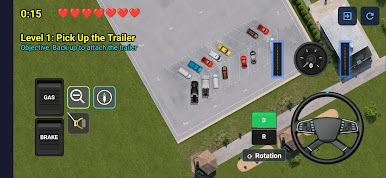
• Pick up your trailer at the starting garage
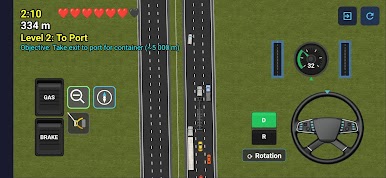
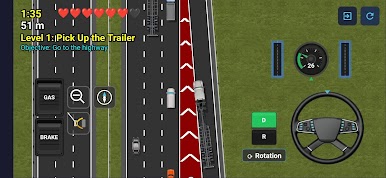
• Drive the highway to the busy port
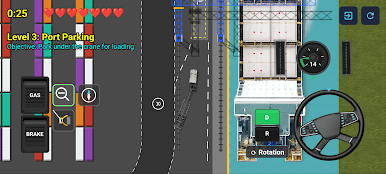
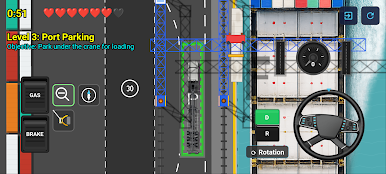
• Park under the loading crane
• Navigate to the warehouse district
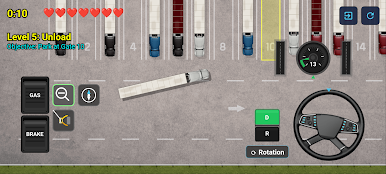
• Unload at the delivery gate
• Return trip through the garage
• Complete your journey home
INTUITIVE CONTROLS
• Touch controls optimized for mobile: steering wheel, gas and brake pedals
• Keyboard support for desktop play
• Multiple camera modes to find your perfect view
FEATURES
• Stunning top-down graphics
• Multiple locations: garage, port, warehouse, highway
• Leaderboard to compete for best times
• No ads, no in-app purchases
Whether you're a trucking enthusiast or looking for a fun parking challenge, Truck Parking delivers an addictive gameplay experience that will test your skills and patience.
Can you park a semi-truck with a 53-foot trailer? Download now and find out!

Play Truck Parking on PC. It’s easy to get started.
-
Download and install BlueStacks on your PC
-
Complete Google sign-in to access the Play Store, or do it later
-
Look for Truck Parking in the search bar at the top right corner
-
Click to install Truck Parking from the search results
-
Complete Google sign-in (if you skipped step 2) to install Truck Parking
-
Click the Truck Parking icon on the home screen to start playing

