


Panda Lu Treehouse
Play on PC with BlueStacks – the Android Gaming Platform, trusted by 500M+ gamers.

Page Modified on: Jan 6, 2026
Play Panda Lu Treehouse on PC or Mac
Explore a whole new adventure with Panda Lu Treehouse, a Educational game created by TutoTOONS. Experience great gameplay with BlueStacks, the most popular gaming platform to play Android games on your PC or Mac.
About the Game
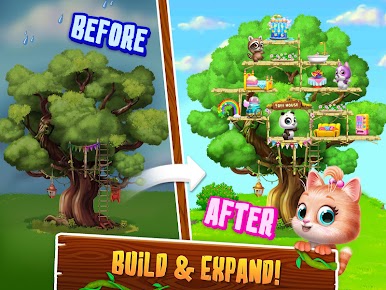
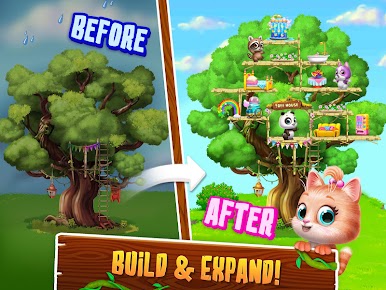
Ever wish you could design your very own treehouse packed with cute animals, secret rooms, and endless fun? Panda Lu Treehouse, from TutoTOONS, makes that wish come true in the most colorful way. This educational adventure lets kids (and let’s face it, sometimes adults sneak a peek) build, decorate, and expand a whimsical home in the treetops—while hanging out with the most adorable animal pals you’ve ever seen.
Game Features
-
Custom Treehouse Building
Start with a simple base and let your imagination take over. Stack up floors, build extra rooms—go as wide or high as you please. It’s your cozy space in the sky. -
Nine Lovable Friends
Your crew includes panda Lu, kitty Katkat, raccoon Rory, and an entire lineup of cute virtual animals. Each one brings its own little surprises and personality. -
Dress-Up Playground
There’s a whole closet full of quirky outfits and accessories. Mix and match to give every animal a fresh new look, whether it’s fancy or downright silly. -
Fun-Filled Activities
Bounce around on the trampoline, throw a dance party, or make a cannonball into the pool. If you’re feeling daring, dive right into a giant jelly! No two play sessions are ever the same. -
Exploration and Surprises
Peek inside the fridge for treats or discover hidden antics with your animal buddies. No telling what you’ll find in a treehouse like this. -
Learning While Playing
Panda Lu Treehouse keeps things educational, sneaking in important life skills and creative thinking through hands-on play.
For those who love gaming on a bigger screen, BlueStacks lets you bring the whole Panda Lu Treehouse adventure to your PC—making it even easier to get creative with your dream treehouse.
Ready to top the leaderboard? We bet you do. Let precise controls and sharp visuals optimized on BlueStacks lead you to victory.






















Play Panda Lu Treehouse on PC. It’s easy to get started.
-
Download and install BlueStacks on your PC
-
Complete Google sign-in to access the Play Store, or do it later
-
Look for Panda Lu Treehouse in the search bar at the top right corner
-
Click to install Panda Lu Treehouse from the search results
-
Complete Google sign-in (if you skipped step 2) to install Panda Lu Treehouse
-
Click the Panda Lu Treehouse icon on the home screen to start playing

