


Loklok
Play on PC with BlueStacks – the Android Gaming Platform, trusted by 500M+ gamers.

Page Modified on: Mar 11, 2026
Overview
With Loklok, you will experience:
1. High-quality ad-free playback.
2. Free access to popular film and television content from around the world.
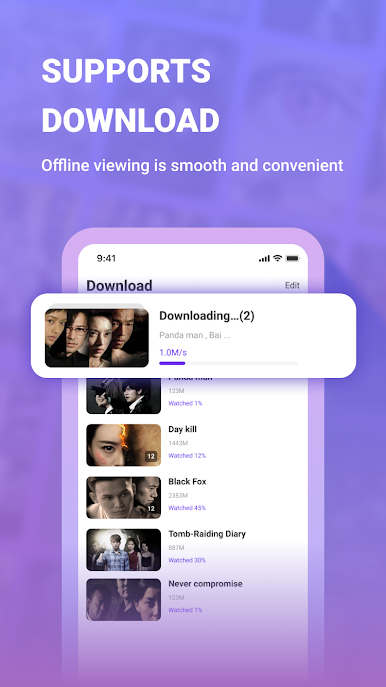
3. Downloads – Download movies and TV shows to your mobile device and watch them whenever and wherever you want.
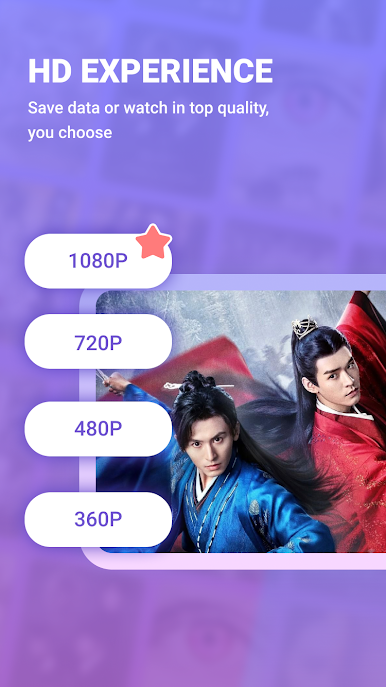
4. Manual Resolution Selection – You can choose to lower resolution to save on data charges when using your mobile phone network, and of course, you can also choose 1080P image quality to enhance your viewing experience.
More features:
1. Viewing History: No need to worry about missing your favorite episodes. Your viewing history will allow you to easily follow your series anytime and anywhere.
2. Favorites and Downloads: Save the content you like for later viewing; Download the latest episodes, save on data charges, and watch them offline whenever you want.
3. Professional Recommendations: tens of thousands of film and television hobbyists to provide you with professional recommendations, and short videos explaining the content, allowing you to accurately locate the best content for you.

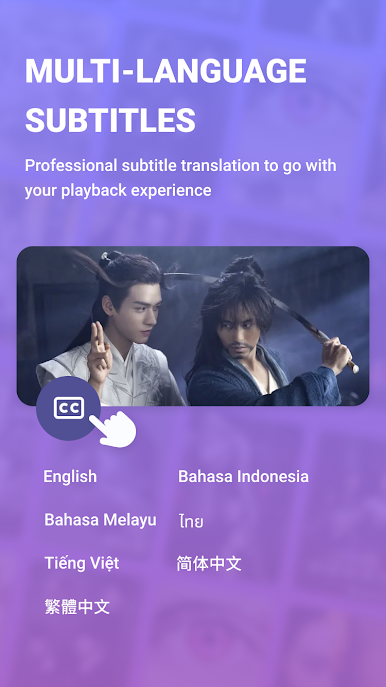
Play Loklok on PC. It’s easy to get started.
-
Download and install BlueStacks on your PC
-
Complete Google sign-in to access the Play Store, or do it later
-
Look for Loklok in the search bar at the top right corner
-
Click to install Loklok from the search results
-
Complete Google sign-in (if you skipped step 2) to install Loklok
-
Click the Loklok icon on the home screen to start playing

