


Dialpad Meetings
Play on PC with BlueStacks – the Android Gaming Platform, trusted by 500M+ gamers.

Page Modified on: Jan 29, 2026
Play Dialpad Meetings on PC
Features that Matter:
Join Meetings from Anywhere
Join an existing meeting or start a new one right from your Android device.
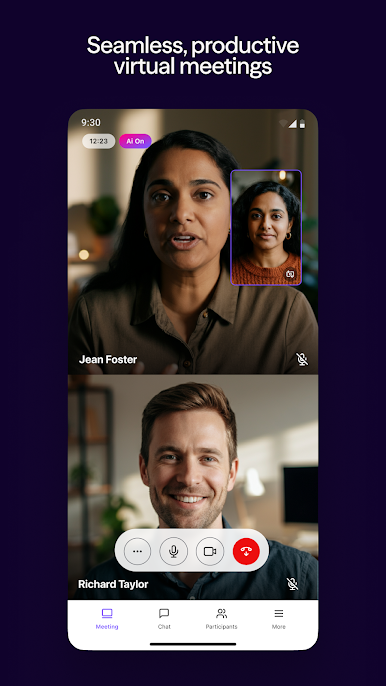
See Your Meetings with Live Video
Live video ensures that you’re able to fully interact with other participants in real-time during a meeting, and picture-in-picture support lets you multitask by unlocking both video and audio while outside the Dialpad Meetings app.
No Pins, No Problems
Never fumble with lengthy, complicated PINs to join a meeting.
Know Who’s On
With displayed participant cards, never question who’s joined the call or speaking. Opt to lock your meeting once everyone’s joined to add an extra level of security.
Get The Full Picture
View screenshare and gain the full context of what’s being discussed.
Contact Syncing
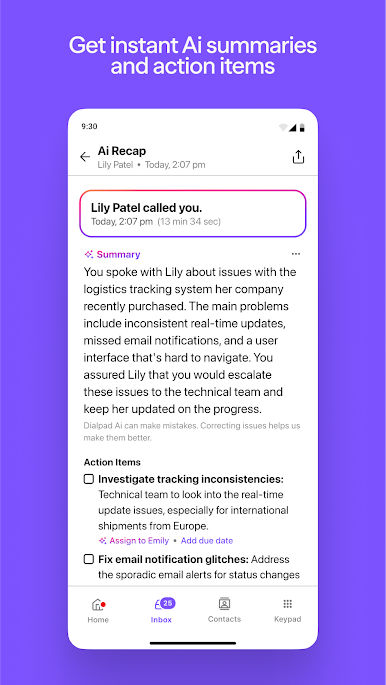
Display profile details including surfaced insights from CRMs like Salesforce
Play Dialpad Meetings on PC. It’s easy to get started.
-
Download and install BlueStacks on your PC
-
Complete Google sign-in to access the Play Store, or do it later
-
Look for Dialpad Meetings in the search bar at the top right corner
-
Click to install Dialpad Meetings from the search results
-
Complete Google sign-in (if you skipped step 2) to install Dialpad Meetings
-
Click the Dialpad Meetings icon on the home screen to start playing

