


Uniee: Easy Chat & Local Date
Play on PC with BlueStacks – the Android Gaming Platform, trusted by 500M+ gamers.

Page Modified on: Jul 24, 2026
Play Uniee: Easy Chat & Local Date on PC
A lot of people run into the same struggles when using dating apps:
1. Profiles are so empty you don’t even know how to start a conversation.
2. When you finally do, it’s just a single “hi” and then silence.
3. You want to go deeper, but there’s no clue where to take the chat.
4. You’d love to build on their profile, but it’s almost blank.
All of this makes dating apps feel like mechanical matching instead of real interaction.
🌟 At Uniee, we help fix that
1. No empty profiles: Uniee encourages users to share a fuller, more specific self, so others can quickly find a way in.
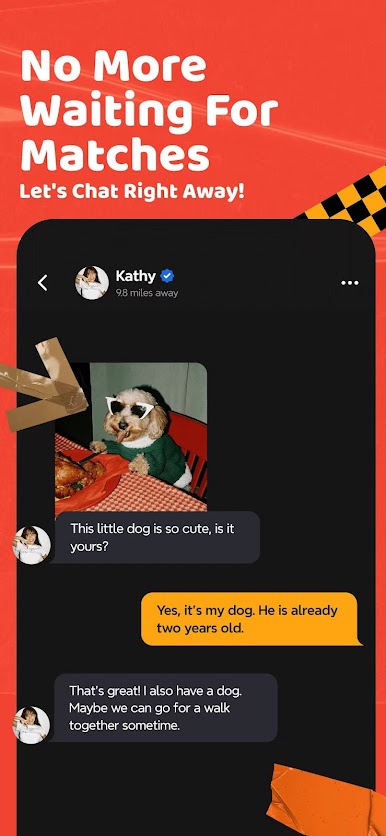
2. Conversations that flow: Profiles and posts give you real talking points, so it’s never just “hi” or “what’s up.”
3. Always something to say: With richer profile details and lightweight ways to express yourself, finding a natural angle is easier than ever.
4. Show the real you: From hobbies and opinions to small quirks, everything that makes you you can shine through—beyond a blank avatar or one-liner bio.
🤝 Our Promise
1. We believe being genuine matters more than playing games.
2. We’re here to cut down on wasted small talk and make interactions smoother, lighter, and more meaningful.
3. Uniee creates a safe, authentic space where every conversation can actually count.
Privacy Policy: https://www.utrmax.com/website/privacy-policy
Terms of Use: https://www.utrmax.com/website/terms-of-service







Play Uniee: Easy Chat & Local Date on PC. It’s easy to get started.
-
Download and install BlueStacks on your PC
-
Complete Google sign-in to access the Play Store, or do it later
-
Look for Uniee: Easy Chat & Local Date in the search bar at the top right corner
-
Click to install Uniee: Easy Chat & Local Date from the search results
-
Complete Google sign-in (if you skipped step 2) to install Uniee: Easy Chat & Local Date
-
Click the Uniee: Easy Chat & Local Date icon on the home screen to start playing

