


Pocket Golf Sim
Play on PC with BlueStacks – the Android Gaming Platform, trusted by 500M+ gamers.

Page Modified on: Oct 29, 2026
Play Pocket Golf Sim on PC
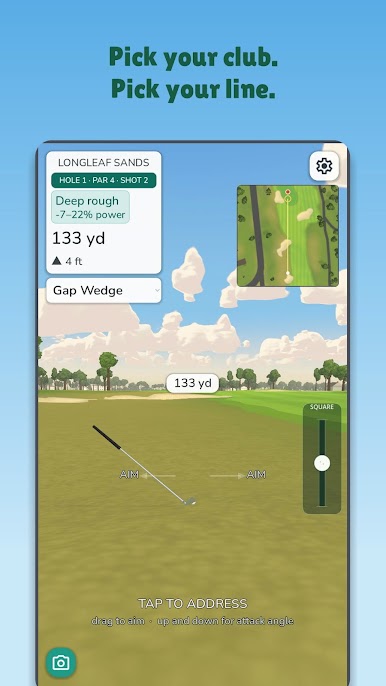
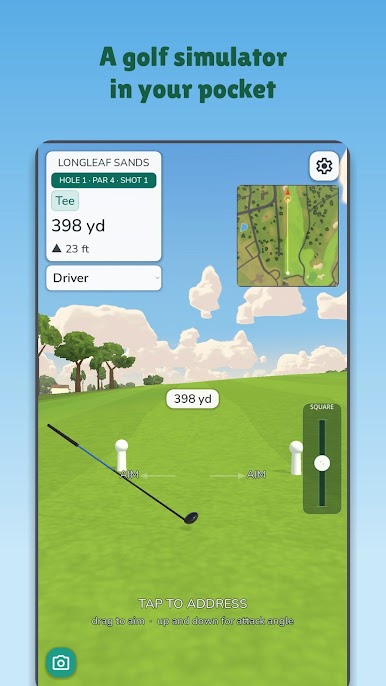
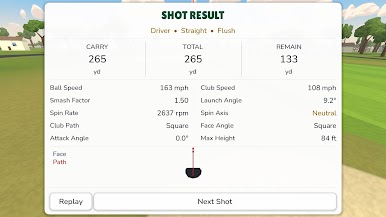
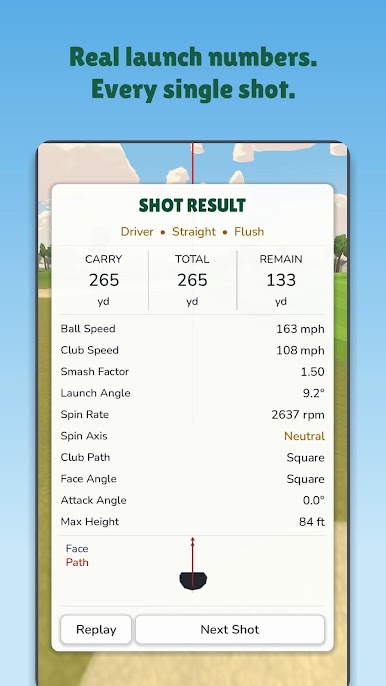
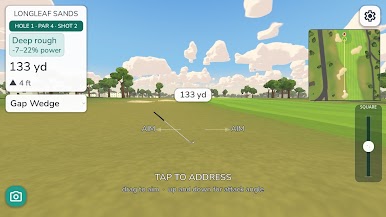
Pocket Golf flies the ball, it doesn't just score it. Speed, spin and spin axis carry every shot, the lie and the slope argue with it, and when it lands you get the readout a launch monitor would give you — ball speed, club speed, smash factor, launch angle, spin rate, club path, face angle, attack angle, carry and total.
Miss the middle and you can see exactly why.
FOUR WAYS TO SWING
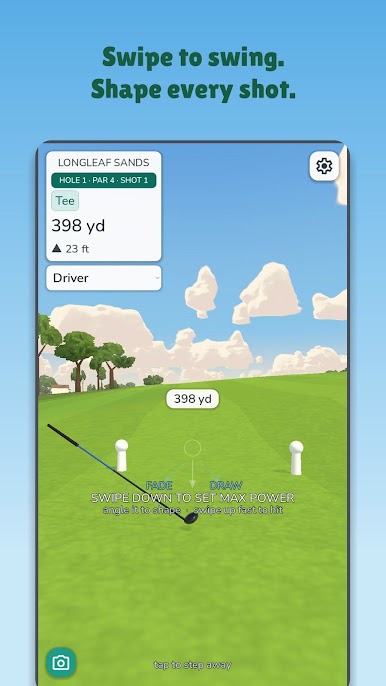
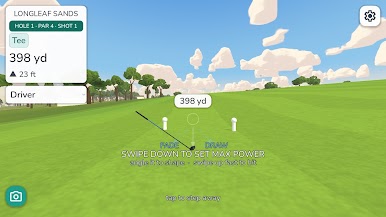
• Swipe — drag down to load, flick up to hit. Angle the swipe to shape a draw or a fade. One thumb, playable lying down.
• Motion — hold the phone like a club and swing it. The sensors read your tempo, path and face angle. No extra hardware.
• Gamepad — the right stick is the club head from above: pull back, push through. The pull-back angle sets the path, the push sets the face. Left stick aims.
• Launch monitor — real club, real ball, numbers fed straight in. Connects over GSPro Open Connect (Garmin R10, Rapsodo MLM2PRO, Uneekor and more).
HUNDREDS OF COURSES
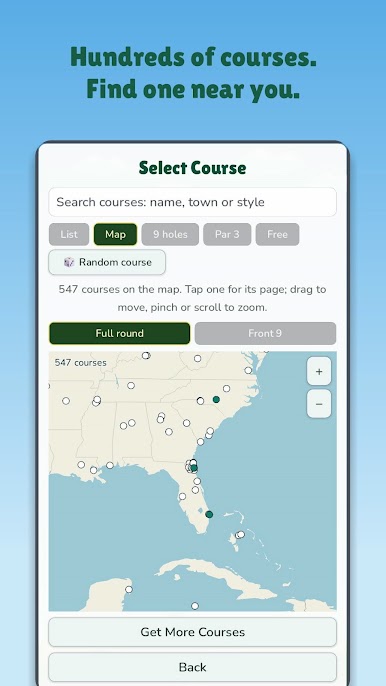
Links, parkland, heathland, desert and a clifftop headland, every one traced from public map data and built on real elevation — so the slopes feed and the run-outs run out the way they do on grass.
Built in: Kittiwake Links • Harrowburn Links • Furnace Ridge • Longleaf Sands • Ganton • Ocotillo Wash
In the course store: Old Head • Royal County Down • Marram Shore • Palm Beach Par 3 • and hundreds more, eighteens and nines
PLAY AGAINST SOMEONE
• Online multiplayer — Stroke Play and 1v1 Match Play, live with friends in golf's turn order or on your own time, with 3D shot tracers and resting ghost balls
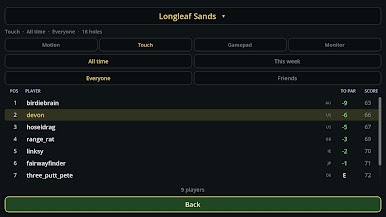
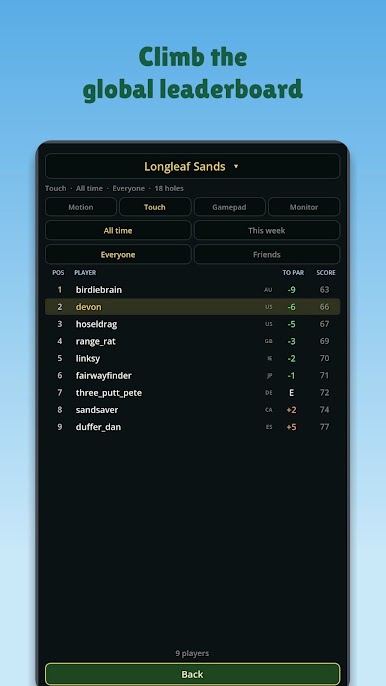
• Global leaderboards, all-time and weekly, with proper golf ties
• Tournaments with a cut line and a full field
• A daily challenge everyone plays the same
• Pass and play — one phone, several golfers
• Link an account and your rounds follow you between devices
Motion, touch, gamepad and launch monitor are ranked separately and each keeps its own record. Swiping, swinging and striking a real ball are different skills; a blended board would rank none of them honestly.
ALSO IN THE BAG
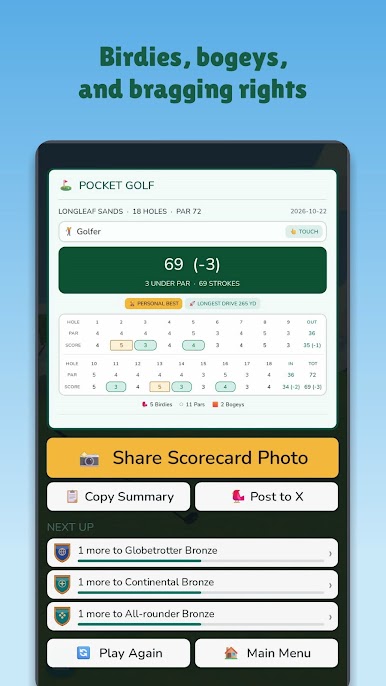
Range mode, a putting green, full scorecards with birdies and bogeys against par, and shot replays.
Plays in English, Español, Français, Deutsch, Italiano, Português, 日本語, 한국어, 简体中文 and 繁體中文, in yards or metres.
POCKET GOLF PLUS — OPTIONAL
The free game is a whole game: every course that ships with it, multiplayer, leaderboards, tournaments, the daily challenge, pass-and-play, the range and the putting green. Your launch monitor works on the range for free, always.
Plus is $19.99 a year with a 7-day free trial, and adds:
• Launch monitor on any course — real balls, real terrain, a real score
• The whole course catalogue, including everything we add later
• Performance — strokes gained by part of your game, per-club dispersion and bias, greens and fairways hit, scrambling, and the trend on all of it
One subscription covers your account on every device.
NO SIGN-IN WALL
An account is created for you on first launch, so leaderboards work straight away. Link Apple or Google later and your history comes with you. Rounds played offline post themselves when you reconnect.
No ads. No third-party tracking.

Play Pocket Golf Sim on PC. It’s easy to get started.
-
Download and install BlueStacks on your PC
-
Complete Google sign-in to access the Play Store, or do it later
-
Look for Pocket Golf Sim in the search bar at the top right corner
-
Click to install Pocket Golf Sim from the search results
-
Complete Google sign-in (if you skipped step 2) to install Pocket Golf Sim
-
Click the Pocket Golf Sim icon on the home screen to start playing

