


Picoboom: Imposter game online
Play on PC with BlueStacks – the Android Gaming Platform, trusted by 500M+ gamers.

Page Modified on: Oct 23, 2026
Play Picoboom: Imposter game online on PC or Mac
Bring your A-game to Picoboom: Imposter game online, the Trivia game sensation from Vanilla b.v.. Give your gameplay the much-needed boost with precise game controls, high FPS graphics, and top-tier features on your PC or Mac with BlueStacks.
About the Game
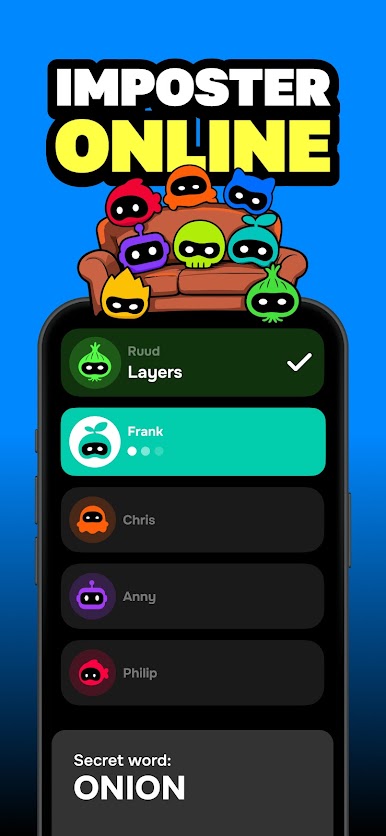
Picoboom: Imposter game online is a fast, chaotic Trivia hangout where bluffing meets brainpower. One secret word unites the group—except for the sneaky Imposter who’s trying to stay hidden while everyone trades clues and calls each other out. Play with friends in the same room or across the map, and if you prefer a bigger screen, it runs smoothly on PC with BlueStacks.
Game Features
- Find the Faker: Everyone gets one secret word—except the Imposter; drop one-word hints, read the room, and vote to catch the liar (or bluff your way to glory).
- Two Ways to Play: Jump into Imposter Online by creating a room and sharing a code for 3–20 players, or go Pass-and-Play on a single screen for groups of 3+.
- Quick Rounds, Big Laughs: Snappy turns keep the tension high, so there’s zero downtime between clue-giving, accusing, and voting.
- Classic Chaos Modes: Keep the party rolling with Pass the Bomb, Name 3 Things, Act It Out, and more—timers, custom penalties, and wild prompts included.
- Built for Any Crowd Size: Works with a duo, thrives with a crowd; the more players, the spicier the debates and betrayals.
- Social Mayhem, No Prep: Learn the rules in seconds; then bluff, roast, rhyme, guess, and act your way through every round.
- Private Rooms Made Easy: Start a match, share a short code, and your crew’s in—no complicated setup or long waits.
- Party-Ready Anywhere: Perfect for living rooms, dorm lounges, road trips, family nights, and any group that loves to compete and call each other out.
Start playing Picoboom: Imposter game online on BlueStacks and get a smoother, more comfortable PC or Mac setup.







Play Picoboom: Imposter game online on PC. It’s easy to get started.
-
Download and install BlueStacks on your PC
-
Complete Google sign-in to access the Play Store, or do it later
-
Look for Picoboom: Imposter game online in the search bar at the top right corner
-
Click to install Picoboom: Imposter game online from the search results
-
Complete Google sign-in (if you skipped step 2) to install Picoboom: Imposter game online
-
Click the Picoboom: Imposter game online icon on the home screen to start playing

