


VelvetReel
Play on PC with BlueStacks – the Android Gaming Platform, trusted by 500M+ gamers.

Page Modified on: Apr 21, 2026
Main VelvetReel on PC
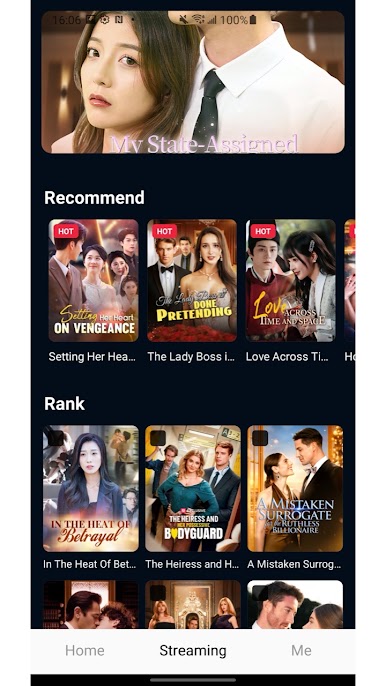
Curated Just for You Not sure what to watch? Our "Recommend" and "Rank" sections help you find the hottest and most popular dramas effortlessly. Stay ahead of the trend with our trending lists.
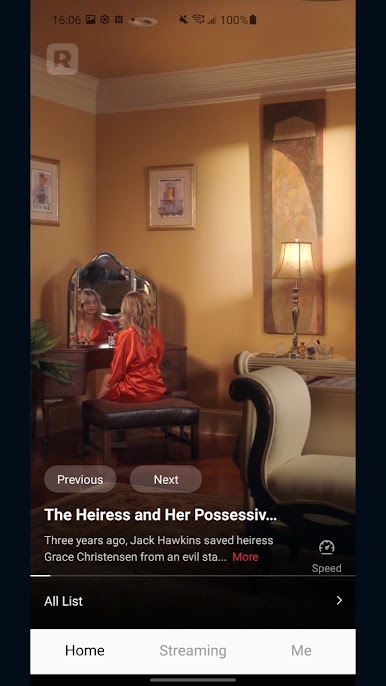
⚡ Smooth & High-Definition Experience Experience seamless, high-definition video playback with zero lag. Our advanced preloading technology ensures that your next episode is ready to play the moment you swipe.
Flexible Playback Control Watch it your way! Adjust playback speed (1.0x, 2.0x, 3.0x) to suit your pace. Easily navigate between episodes with "Previous" and "Next" controls or select your favorite chapter from the episode list.
Your Personal Library "Like" your favorite series to build your own collection. Our "History" feature ensures you never lose track of where you left off, making it easy to jump back into the story anytime, anywhere.
Free Selections Enjoy a variety of free-to-watch episodes and discover your next obsession without any commitment.
VelvetReel brings you the stories you love in a format that works for you. New episodes and series are added regularly, so there’s always something fresh to watch.

Play VelvetReel on PC. It’s easy to get started.
-
Download and install BlueStacks on your PC
-
Complete Google sign-in to access the Play Store, or do it later
-
Look for VelvetReel in the search bar at the top right corner
-
Click to install VelvetReel from the search results
-
Complete Google sign-in (if you skipped step 2) to install VelvetReel
-
Click the VelvetReel icon on the home screen to start playing

