


Video Lite
Play on PC with BlueStacks – the Android Gaming Platform, trusted by 500M+ gamers.

Page Modified on: Sep 30, 2026
Play Video Lite on PC
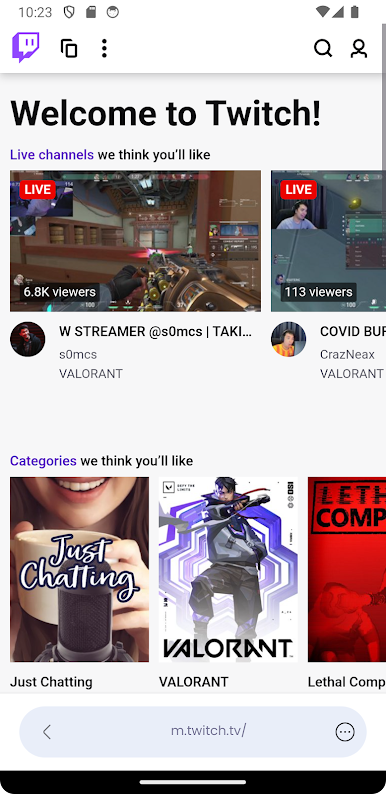
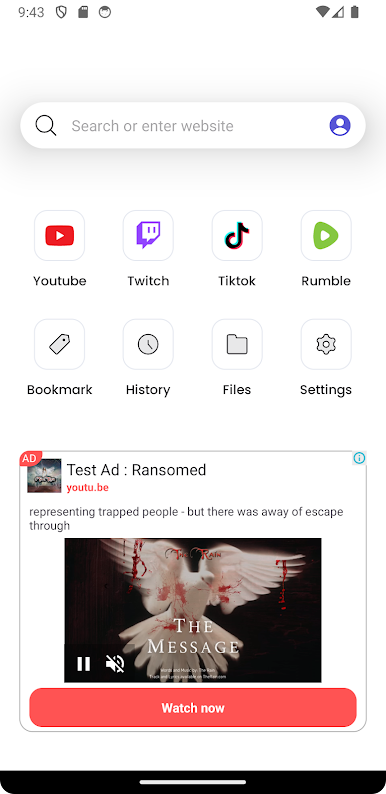
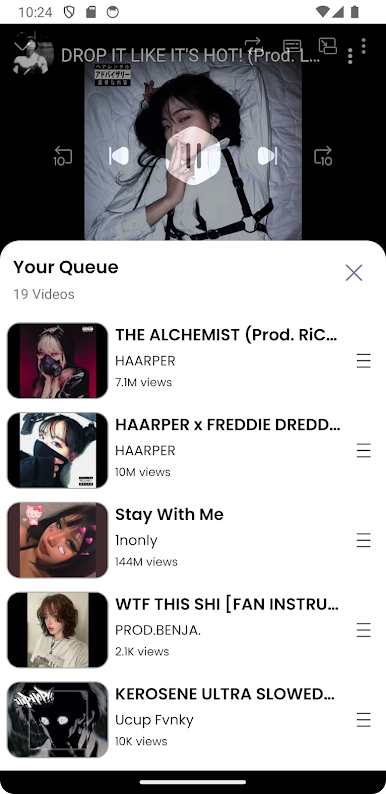
Discover the power of seamless video browsing with Video Lite – an all-in-one video website browser designed for your smartphone. Optimized for high performance with a lightweight footprint, Video Lite is the perfect companion for video enthusiasts.
🌟 Key Features:
• All-in-One Video Browser: Easily access a wide range of popular video websites.
• Smooth User Experience: Enjoy a user-friendly interface and stable performance.
• Picture in Picture (PiP) Mode: Watch videos uninterrupted while multitasking.
• Sleep Timer: Set the app to automatically close, conserving your device’s energy.
• Fast Loading, High Efficiency: Stream videos without worrying about mobile data consumption.
• Personalized Settings: Customize your video viewing preferences to your liking.
✨ At Video Lite, we are constantly innovating to bring new features and enhance user experience. Download now and embark on an endless video adventure!
Play Video Lite on PC. It’s easy to get started.
-
Download and install BlueStacks on your PC
-
Complete Google sign-in to access the Play Store, or do it later
-
Look for Video Lite in the search bar at the top right corner
-
Click to install Video Lite from the search results
-
Complete Google sign-in (if you skipped step 2) to install Video Lite
-
Click the Video Lite icon on the home screen to start playing

