


Pitch Invader
Play on PC with BlueStacks – the Android Gaming Platform, trusted by 500M+ gamers.

Page Modified on: Sep 16, 2026
Play Pitch Invader on PC
PITCH ESCAPE
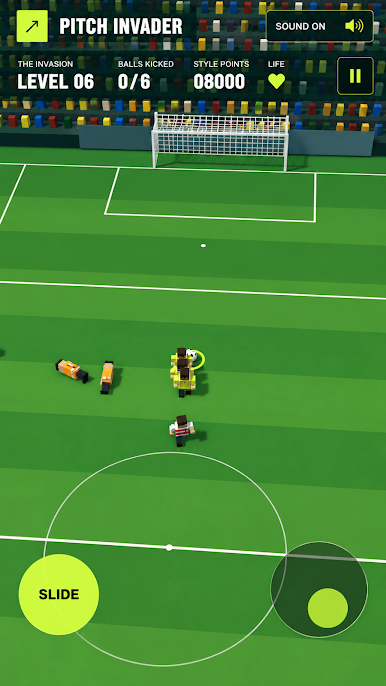
Run onto the pitch and escape from the stadium stewards. Move quickly, change direction and avoid getting caught for as long as possible. More stewards join the chase as the levels become harder.
ONE-ON-ONE FOOTBALL
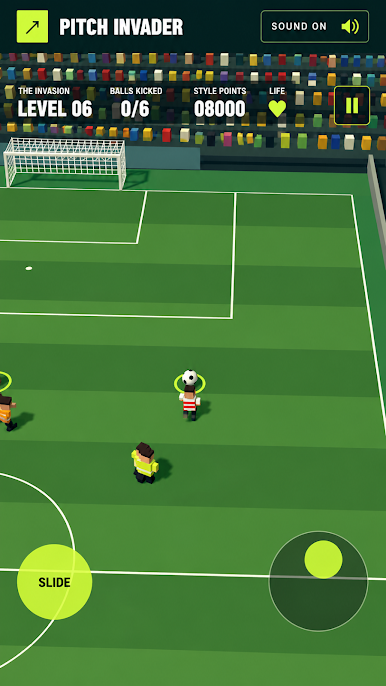
Compete against an opponent in fast football matches. Control your player, reach the ball and score in the opposing goal while defending your own.
GAME FEATURES
• Two different gameplay modes
• Fast 3D voxel football action
• Pitch escape challenges
• One-on-one football matches
• Simple touch controls
• Increasing level difficulty
• Packed stadiums with crowd reactions
• Saved level progression
• Colourful block-style graphics
Can you escape the stewards? Can you defeat your opponent and score the winning goal?
Run, dodge and score!


Play Pitch Invader on PC. It’s easy to get started.
-
Download and install BlueStacks on your PC
-
Complete Google sign-in to access the Play Store, or do it later
-
Look for Pitch Invader in the search bar at the top right corner
-
Click to install Pitch Invader from the search results
-
Complete Google sign-in (if you skipped step 2) to install Pitch Invader
-
Click the Pitch Invader icon on the home screen to start playing

