


Tanghulu Master - Mukbang ASMR
Play on PC with BlueStacks – the Android Gaming Platform, trusted by 500M+ gamers.

Page Modified on: Aug 31, 2026
Main Tanghulu Master - Mukbang ASMR on PC
Lulu's family, once the masters of Tanghulu, face a rising challenge as more Tanghulu shops pop up and steal customers away. Embark on the journey with Lulu as she aims to restore her family's shop through the world of Mukbang ASMR and become a true master of Tanghulu!
"Let's start today's Tanghulu live stream!"
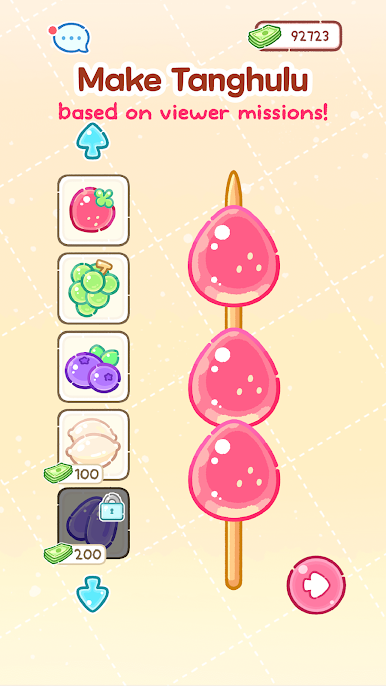
[Stacking ingredients]
Surviving as a Mukbang creator is tough, so get creative - add marshmallows, gummy bears and even chili peppers to your Tanghulu creations!
[Sugar Coating]
Once you've filled up your skewer, pop them in the pot and give a gentle stir to give a delicious sugary glaze. Create a thin and crunchy Tanghulu with the master's secret technique!
[Mukbang Live Stream]
Yet another crunchy live stream success! Yum! The chat was buzzing today. Now it's time to stock up on fresh ingredients with the Super Chats I earned by completing viewer missions!
Are you ready? It's time to challenge the Tanghulu master!
Contact: support@whoyaho.com








Play Tanghulu Master - Mukbang ASMR on PC. It’s easy to get started.
-
Download and install BlueStacks on your PC
-
Complete Google sign-in to access the Play Store, or do it later
-
Look for Tanghulu Master - Mukbang ASMR in the search bar at the top right corner
-
Click to install Tanghulu Master - Mukbang ASMR from the search results
-
Complete Google sign-in (if you skipped step 2) to install Tanghulu Master - Mukbang ASMR
-
Click the Tanghulu Master - Mukbang ASMR icon on the home screen to start playing

