


DroidSSTV - SSTV for Ham Radio
Play on PC with BlueStacks – the Android Gaming Platform, trusted by 500M+ gamers.

Page Modified on: Dec 03, 2025
Overview
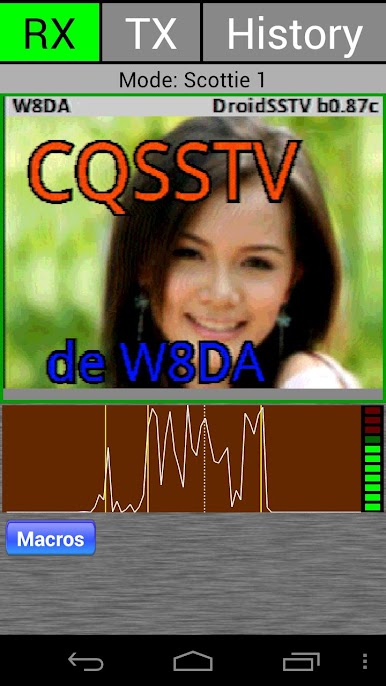
The features in the receiving modes include:
- Spectrum analyzer for easy tuning
- Auto synchronization ( auto slant correction)
- Auto mode detect
- VIS encoding (detects SSTV header and sets mode automatically)
- Level bar for adjusting the audio signal
- Auto save received pictures to SD Card.
- Share received pictures (Email , Dropbox etc.)
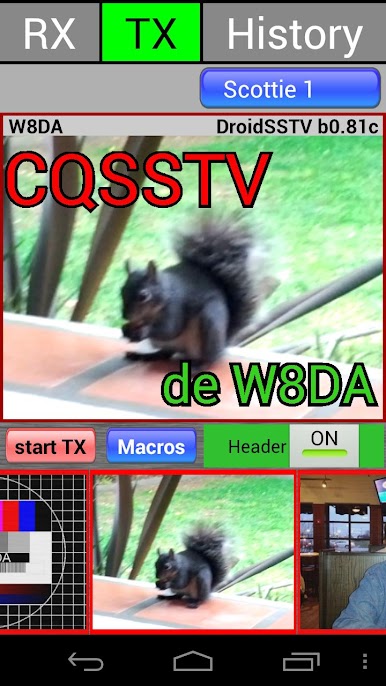
The features in the transmitting modes include:
- Pre-load up to 9 pictures from the SD Card into DroidSSTV’s gallery
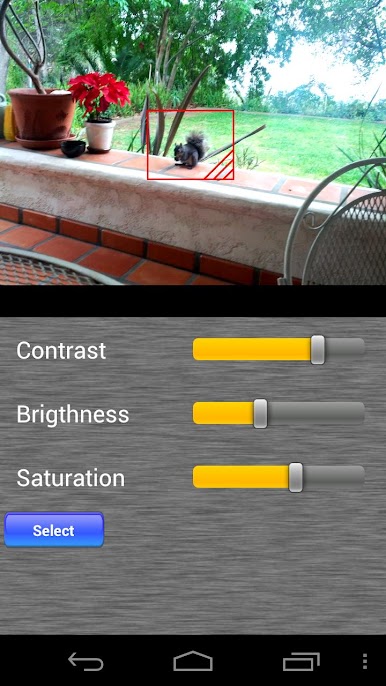
- Adjust contrast, brightness and saturation
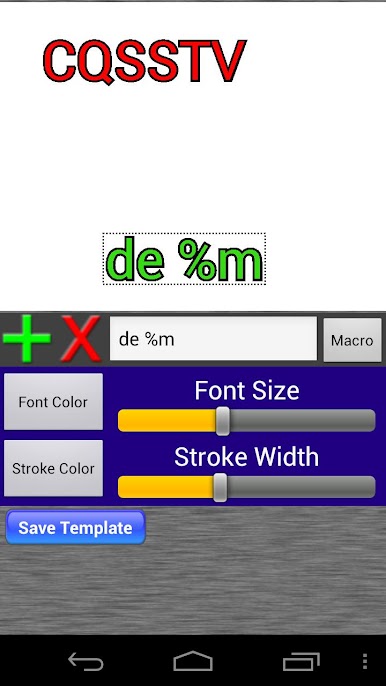
- Template editor for easily overlaying templates over images
- Macro’s for use with templates
Play DroidSSTV - SSTV for Ham Radio on PC. It’s easy to get started.
-
Download and install BlueStacks on your PC
-
Complete Google sign-in to access the Play Store, or do it later
-
Look for DroidSSTV - SSTV for Ham Radio in the search bar at the top right corner
-
Click to install DroidSSTV - SSTV for Ham Radio from the search results
-
Complete Google sign-in (if you skipped step 2) to install DroidSSTV - SSTV for Ham Radio
-
Click the DroidSSTV - SSTV for Ham Radio icon on the home screen to start playing

